


Employee Monitoring Data Governance: The Framework Every Organization Needs Before Deploying Monitoring Software
Employee monitoring data governance is the set of policies, procedures, and controls that determine how monitoring data is collected, classified, stored, accessed, retained, and deleted. Most organizations deploy monitoring software first and figure out data governance afterward. That sequence creates compliance risk that retroactive governance cannot fully close — particularly under GDPR, where the legal basis for processing must be established before monitoring begins, not after. This guide provides a practical framework to get the sequence right.
Why Governance Before Deployment Is Not Optional
The compliance logic is straightforward: GDPR Article 35 requires a Data Protection Impact Assessment before processing that is likely to result in high risk to individual rights. Employee monitoring — particularly systematic, large-scale monitoring of activity across an entire workforce — falls squarely within the EDPB's list of processing activities that typically require a DPIA. A DPIA completed before deployment documents the necessity and proportionality of monitoring and the mitigating measures in place. A DPIA completed after deployment is an internal exercise; it does not retroactively satisfy the pre-deployment requirement.
Beyond GDPR, the governance-first sequence matters for operational reasons. Organizations that deploy monitoring without defining access controls frequently discover managers accessing monitoring data beyond their direct reports, sometimes in violation of works council agreements or union contracts. Organizations that deploy without retention schedules accumulate years of monitoring data with no deletion timeline, creating storage costs and an expanding liability surface. The practical cost of retroactive governance cleanup consistently exceeds the cost of governance design done upfront.
The Seven Governance Questions Every Monitoring Program Must Answer
A complete monitoring data governance framework answers seven questions: (1) What data categories does the monitoring program generate and what is the sensitivity of each? (2) Who has access to each data category under what circumstances? (3) How long is each data category retained and on what schedule is it deleted? (4) What is the process when an employee requests access to their monitoring data? (5) Where is data stored relative to employee locations, and what transfer mechanisms apply? (6) Is the monitoring vendor's DPA GDPR-compliant and does it include current Standard Contractual Clauses? (7) What is the incident response plan if monitoring data is breached? This guide addresses each question in sequence.
Step 1: Data Classification — What Categories Does Your Monitoring Program Generate?
Employee monitoring software generates several distinct data categories that carry different sensitivity levels and require different governance treatment. Treating all monitoring data as a single category is the most common governance error: it produces access controls that are either too permissive (giving everyone access to everything) or too restrictive (locking down low-sensitivity aggregate data that managers need for daily operations).
The Five Monitoring Data Categories and Their Sensitivity Levels
Activity logs record which applications and websites an employee accessed and for how long. Sensitivity is relatively low: this data resembles the kind of information visible on a shared network monitoring system. Access can be broadly permitted within management chains without significant privacy risk in most jurisdictions.
Productivity scores are aggregated metrics derived from activity logs, typically expressed as a percentage of active time classified as productive based on role-specific rules. These scores directly inform performance assessments, creating potential employment law implications. Sensitivity is medium. Access should be limited to direct managers and HR professionals with legitimate performance management functions.
Screenshots are visual captures of employee work screens. Sensitivity is high. Screenshots may incidentally capture personal communications visible on screen, confidential client data, financial information, health-related searches during break time, or other content that the employee had no reason to expect would be captured. Access controls should be the most restrictive of any monitoring data category — typically requiring specific manager authorization or HR investigation context to access individual screenshots.
Keystroke activity data records the intensity and pattern of keyboard input as an engagement signal. When implemented as activity intensity measurement (not content capture), sensitivity is medium. When combined with screenshots for a specific time period, the aggregate can infer content even if neither data element alone reveals it. Access should follow screenshot-level controls when used in combination.
Location data — GPS tracking for field employees or network-based location inference for desk employees — carries high sensitivity in most jurisdictions. The EU's EDPB issued Guideline 02/2017 specifically addressing employee location tracking, requiring strict necessity and proportionality analysis. US states including California and Illinois have location privacy statutes that impose additional requirements. Location data access should be limited to HR and operations roles with documented business need.
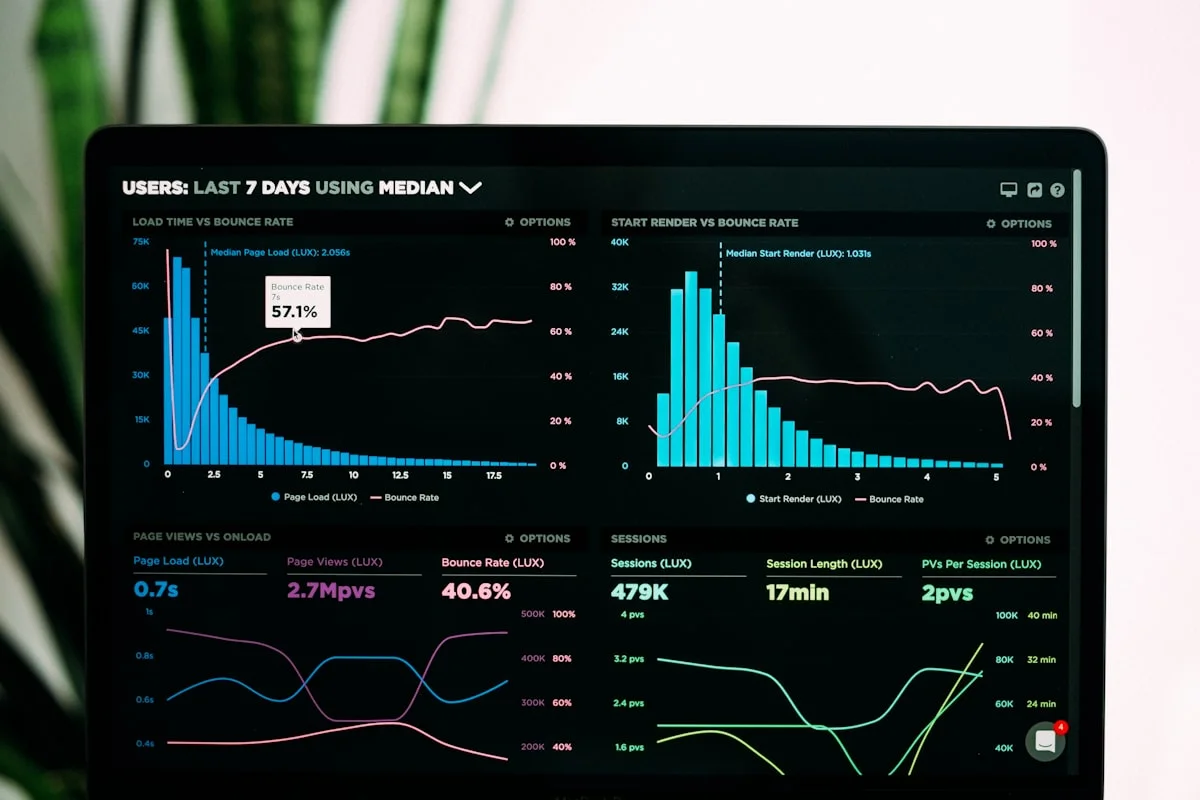
Compliance Posture — This Week
Audit events / day
Control status
▲ Policy acknowledgment at 96% across every department.
Illustrative eMonitor dashboard.
Step 2: Access Controls — Who Can See What and Under What Circumstances?
Monitoring data access controls follow the same principle that governs any sensitive business data: minimum necessary access. Each role in the organization should access only the monitoring data required to perform legitimate business functions. Access that exceeds this threshold creates privacy risk, potential GDPR violations, and organizational liability if the over-accessed data is misused.
A Practical RBAC Model for Monitoring Data
Role-based access control for monitoring data typically defines four levels. The first level covers direct managers: access to activity logs, productivity scores, and flagged alerts for their own direct reports only. No access to screenshots without HR authorization. This is the baseline operational access that enables day-to-day productivity management without creating unnecessary privacy exposure.
The second level covers HR professionals: access to productivity data and investigation-context screenshots for any employee, with audit logging of all access. HR also manages data subject access request responses and maintains the employee accommodation registry that determines monitoring scope. HR access is broader by design — but all HR access to monitoring data should be logged with timestamps and purpose documentation.
The third level covers IT and security teams: access to monitoring data relevant to security incident investigation, DLP violations, and system administration. IT access is typically scoped by incident: a specific date range, a specific employee, a specific system event. Blanket IT access to all monitoring data for all employees is not standard practice and creates unnecessary risk.
The fourth level covers employees: access to their own monitoring data through a self-service dashboard. Employees can view their own activity logs, productivity scores, and attendance records. This transparency is not only an employee right under GDPR — it is a trust-building practice that reduces the perception of monitoring as punitive. eMonitor provides employee-facing dashboards as a standard feature, enabling this self-service access without additional configuration.
Configuring Access Controls in the Monitoring Platform
Most monitoring platforms, including eMonitor, support role-based access configuration that maps to this model. Administrator accounts configure which data categories are visible at each role level. Manager accounts are scoped to their direct reports through the organizational hierarchy. Screenshot access can be gated behind additional authorization requirements — requiring a documented reason and manager-level approval before individual screenshot review is permitted. Access control configuration should be reviewed whenever the organizational structure changes or when new monitoring features are enabled.
Step 3: Retention Schedules — How Long Is Each Data Type Kept?
Retention schedules for monitoring data must balance three competing interests: the operational need for historical data to support performance management and trend analysis, the legal requirement to retain investigation evidence for applicable statutes of limitations, and the privacy principle of data minimization — which GDPR Article 5(1)(e) expresses as keeping data "no longer than is necessary for the purposes for which the personal data are processed."
Recommended Retention Periods by Data Category
Real-time activity data and screenshots serve operational purposes: managers use this data to understand current productivity patterns and address recent performance issues. A 30-90 day rolling retention window satisfies these operational needs. Data older than 90 days has limited operational value and should be deleted on an automated schedule.
Productivity trend data — aggregated metrics showing individual and team performance over time — is used for performance reviews, goal-setting, and workforce planning. A 12-24 month retention window supports annual performance review cycles and provides enough trend context for meaningful analysis. This data can be retained in aggregated form even after individual session-level data is deleted.
Investigation data tied to a specific HR or legal matter requires retention for the duration of the matter plus the applicable statute of limitations. Employment discrimination claims in the US have a 180-300 day EEOC filing window (depending on state), but litigation following an EEOC charge can extend 3-5 years. Data that was the basis for a disciplinary action or investigation should be retained for a minimum of 5 years after the matter closes, in consultation with employment counsel.
Aggregate workforce analytics — organizational-level reports showing department productivity, capacity utilization, and workforce trends — can be retained indefinitely once individual employee data has been removed from the underlying records. These aggregate datasets have long-term business value and carry significantly lower privacy risk than individual-level data.
Step 4: Data Subject Requests — What Happens When an Employee Asks "What Data Do You Have on Me?"
Under GDPR Article 15, employees have the right to obtain a copy of all personal data the organization holds about them, including monitoring data. Organizations have 30 days to respond to a data subject access request (DSAR). For monitoring programs that have accumulated months or years of activity logs, screenshots, and productivity records, responding to a DSAR without a defined process is time-consuming, error-prone, and legally risky if the response is incomplete.
Building a DSAR Response Process for Monitoring Data
A practical DSAR process for monitoring data covers four steps. The first step is request identification and verification: confirm the requester's identity and ensure the request is from the employee themselves (or an authorized representative). Monitoring data for one employee cannot be disclosed to another. The second step is scope determination: identify all monitoring data categories held for this employee — activity logs, productivity reports, screenshots, alerts, and any investigation records. The third step is data compilation: export the relevant records from the monitoring platform. eMonitor's reporting and export capabilities support this step with date-range exports of activity data and productivity reports.
The fourth step is response review: before sending monitoring data to an employee, review for third-party data that cannot be disclosed. Screenshots, for example, may capture data belonging to clients or other employees — this data may need to be redacted before the DSAR response is sent. Employment lawyers with data privacy experience should review the DSAR response process once before it is first used, ensuring the organization's response format and redaction approach are defensible.
Right to Erasure Requests
GDPR Article 17 gives individuals the right to request deletion of their personal data in certain circumstances. For monitoring data, the primary consideration is whether the data is still necessary for the purpose for which it was collected. If an employee has left the organization and the applicable retention period has passed, monitoring data deletion is straightforward. If a former employee requests erasure while investigation data is still in the legally required retention window, erasure must be declined with a written explanation citing the legal obligation to retain.
Step 5: Cross-Border Data Transfers — Where Is Monitoring Data Stored?
Organizations with employees in EU member states and monitoring infrastructure or vendor servers located outside the EU face cross-border data transfer obligations under GDPR Chapter V. Following the Schrems II ruling (Case C-311/18, July 2020) that invalidated the EU-US Privacy Shield, the primary transfer mechanism for most US-hosted monitoring platforms is Standard Contractual Clauses (SCCs) — specifically the new SCCs adopted by the European Commission in June 2021, which updated the previous versions that Schrems II also implicitly called into question.
Reviewing Your Monitoring Vendor's Transfer Mechanism
The checklist for cross-border transfer compliance with your monitoring vendor has three items. First, confirm that the vendor's DPA includes the current 2021 SCCs for international transfers (not the pre-Schrems II versions). Second, confirm the physical location of data storage — EU-region hosting eliminates the transfer issue entirely; US-region hosting requires SCCs plus a Transfer Impact Assessment (TIA). Third, review whether the vendor is subject to US surveillance laws (FISA Section 702, EO 12333) in a way that could undermine the SCC protections — this is the core of the Schrems II adequacy problem. For SMBs, this analysis is typically outsourced to outside counsel reviewing the vendor's DPA and published Data Privacy Framework certification.
Step 6: Vendor Data Processing Agreement — Is Your Monitoring Vendor's DPA GDPR-Compliant?
GDPR Article 28 mandates a written Data Processing Agreement between your organization (as data controller) and your monitoring software vendor (as data processor). The DPA is not a formality — it specifies the enforceable obligations your vendor accepts regarding how employee monitoring data is handled. Without a compliant DPA, your GDPR compliance framework for the monitoring program has a structural gap that no internal governance document can close.
What the DPA Must Include
A GDPR-compliant DPA for monitoring software must specify, at minimum: the subject matter and duration of the processing (the monitoring program, for the term of the contract); the nature and purpose of the processing (activity tracking, productivity measurement, screenshot capture as specified in the services description); the type of personal data processed (activity logs, productivity data, screenshots, keystroke patterns); the categories of data subjects (employees of the controller); the rights and obligations of the controller (including the right to audit the processor's processing activities); and the processor's obligations including security measures, sub-processor notification, and breach notification timing.
eMonitor maintains a GDPR-compliant DPA available to all customers. Before deploying any monitoring software for EU employees, request the vendor's DPA and have it reviewed alongside your monitoring policy. The review confirms that the contractual protections align with the representations in your DPIA and employee notice.
Step 7: Incident Response — What Happens If Monitoring Data Is Breached?
A breach of employee monitoring data is a personal data breach under GDPR Article 4(12). The content of monitoring data — detailed records of employee computer activity, screenshots of work screens, productivity scores used in performance management — creates significant individual harm risk if exposed. The GDPR Article 33 notification requirement (supervisory authority within 72 hours of becoming aware of the breach) runs regardless of the severity of the breach, making fast detection and assessment essential.
The Five-Stage Incident Response Framework
Detection: Monitoring data breach detection requires logging and alerting infrastructure on the monitoring platform and its underlying infrastructure. eMonitor's role-based access control logs all data access with timestamps and user identity. Anomalous access patterns — large data exports, access from unusual IP addresses, access at unusual hours — trigger alerts that security teams can investigate. Organizations using self-hosted monitoring solutions bear this detection responsibility entirely; SaaS platforms maintain detection infrastructure on the subscriber's behalf.
Assessment: Within the 72-hour notification window, the organization must assess whether the breach is likely to result in a risk to the rights and freedoms of individuals. A breach of aggregate productivity reports with no individual identification has low risk. A breach of individual screenshots containing visible client data or personal communications has high risk. The risk assessment determines both whether supervisory authority notification is required and whether individual employee notification under GDPR Article 34 is necessary.
Notification: Supervisory authority notification under Article 33 must include a description of the nature of the breach, the approximate number of individuals affected, the categories and approximate number of records concerned, the likely consequences, and the measures taken or proposed to address the breach. Article 34 individual notification is required when the breach is "likely to result in a high risk to the rights and freedoms of natural persons." For monitoring data breaches that expose individual activity records or screenshots, Article 34 notification is typically required.
Containment: Containment steps specific to monitoring data breaches include revoking compromised credentials, closing unauthorized access pathways, and suspending affected system components. If the breach involves the monitoring vendor's infrastructure, coordinate with the vendor's security team on containment steps and obtain their incident report for supervisory authority submission.
Post-incident review: Every monitoring data breach should produce a written post-incident review documenting the root cause, the timeline from breach to detection to containment, and governance improvements to prevent recurrence. These reviews are valuable documentation in supervisory authority interactions and demonstrate that the organization takes its data controller obligations seriously.

A Practical Data Governance Checklist Before Deployment
Organizations that complete the following checklist before deploying monitoring software have addressed the governance requirements that most create compliance exposure. Each item is a prerequisite, not a parallel workstream.
- DPIA completed and documented before monitoring begins (required for EU employees, best practice for all)
- Lawful basis established under GDPR Article 6 (typically legitimate interest under Article 6(1)(f), documented with proportionality analysis)
- Monitoring policy written and distributed to all employees, with acknowledgment collected
- State-specific notice requirements satisfied (Connecticut, Delaware, New York, California, and other applicable states)
- RBAC model configured in the monitoring platform mapping to defined role levels
- Retention schedules documented and automated deletion configured in the monitoring platform
- DSAR response process documented and tested with a mock request
- Vendor DPA reviewed and signed with current SCCs for international transfers where applicable
- Incident response plan documented with named owners for each stage
- Works council or union notification completed where required by jurisdiction or contract

Deploy Monitoring with Governance Confidence
eMonitor includes RBAC, employee-facing dashboards, role-scoped data access, and a GDPR-compliant DPA. Governance-ready from day one.
Frequently Asked Questions
What is employee monitoring data governance?
Employee monitoring data governance is the set of policies, procedures, and controls that determine how monitoring data is collected, classified, stored, accessed, retained, and deleted. A governance framework answers six core questions: what data categories the monitoring program generates, who can access each category, how long each type is retained, how data subject requests are handled, where data is stored relative to employee locations, and what the incident response plan is if monitoring data is breached.
Why do most companies deploy monitoring before establishing data governance?
Most monitoring deployments are driven by an operational need that creates urgency to get the software running quickly. Data governance is perceived as a slower process. The result is monitoring data accumulating without policies governing access or retention, creating compliance risk retroactively. The correct sequence is governance framework first, deployment second — but this requires treating governance as a deployment prerequisite rather than a post-deployment cleanup task.
What data categories does employee monitoring software generate?
Employee monitoring software generates several distinct categories with different sensitivity levels: (1) activity logs — app and website usage records, relatively low sensitivity; (2) productivity scores — aggregated metrics, medium sensitivity; (3) screenshots — visual captures of work screens, high sensitivity; (4) keystroke patterns — activity intensity data, medium sensitivity; and (5) location data — GPS or network-based location records, high sensitivity in jurisdictions with specific location privacy protections.
Who should have access to employee monitoring data?
Monitoring data access should follow a role-based model: direct managers see their own team's data only; HR professionals see data for employees under investigation or for aggregate analytics; IT and security teams see data relevant to security incident investigation; senior executives see aggregate organizational metrics; and employees see their own data through a self-service dashboard. No individual should have access to monitoring data beyond what their role requires.
How long should employee monitoring data be retained?
Real-time activity data and screenshots: 30-90 days for operational review. Productivity trend data (aggregated): 12-24 months for performance management context. Investigation data tied to a specific HR or legal matter: retain for the duration of the matter plus the applicable statute of limitations (typically 3-5 years for employment claims). Aggregate workforce analytics: can be retained indefinitely once individual employee data has been removed from the underlying records.
What is a data subject access request in the context of employee monitoring?
A data subject access request (DSAR) is an employee's right under GDPR Article 15 to obtain a copy of all personal data the organization holds about them, including monitoring data. Organizations have 30 days to respond. For monitoring data, this means being able to compile and produce activity logs, productivity reports, screenshots, and other records for the requesting employee. Organizations without a DSAR response procedure create compliance risk every time a GDPR-covered employee exercises this right.
Do you need a DPIA for employee monitoring?
Yes. Under GDPR Article 35, a Data Protection Impact Assessment is required when processing is likely to result in high risk to individual rights. The EDPB specifically cites systematic monitoring of employees as processing that typically requires a DPIA. The DPIA must be completed before the monitoring program begins — not retroactively. It documents the necessity and proportionality of monitoring and the measures taken to protect employee rights.
What is a Data Processing Agreement for monitoring software?
A Data Processing Agreement is a contract between your organization (data controller) and your monitoring software vendor (data processor) specifying how the vendor handles employee personal data. Under GDPR Article 28, a DPA is legally mandatory when a data processor handles personal data on behalf of a controller. The DPA must specify the subject matter, nature and purpose of processing, data types, categories of data subjects, and the obligations and rights of both parties.
How does cross-border data transfer affect employee monitoring governance?
When monitoring data for EU employees is stored outside the EU, GDPR Chapter V requires a transfer mechanism: Standard Contractual Clauses (SCCs), adequacy decision, or Binding Corporate Rules. Organizations with US-based monitoring infrastructure must ensure their vendor's DPA includes the current 2021 SCCs for data transfers. Following the Schrems II ruling, US data transfers also require a Transfer Impact Assessment confirming that US surveillance law does not undermine the SCC protections.
What should a monitoring data breach response plan cover?
A monitoring data breach response plan should cover: (1) detection — how will you know if monitoring data is accessed without authorization; (2) assessment — how do you determine scope and risk within the 72-hour GDPR notification window; (3) notification — supervisory authority within 72 hours under Article 33, affected employees under Article 34 when high risk; (4) containment — steps to stop ongoing unauthorized access; and (5) post-incident review — documenting lessons learned and governance improvements.
What is the minimum data governance requirement before deploying monitoring software?
The minimum governance requirements before deploying monitoring software are: (1) a completed DPIA for EU employee data; (2) a signed DPA with your monitoring vendor; (3) a written monitoring policy with employee notice and acknowledgment; (4) a defined RBAC model specifying who can access monitoring data; and (5) a defined retention schedule for each data category. Deploying without these five elements creates compliance gaps that retroactive governance cannot fully close.
The Governance-First Payoff
Data governance design before monitoring deployment costs 20-40 hours of effort from legal, HR, and IT. The compliance exposure from skipping that step — GDPR fines of up to 4% of global annual turnover for systemic violations, employment discrimination claims from inconsistent access controls, and DSAR responses that disclose the wrong data to the wrong people — represents existential risk for most businesses. The math is straightforward. The discipline is in treating governance as a deployment prerequisite when organizational pressure is pushing toward getting the software running first.
The framework above is a starting point, not a complete substitute for jurisdiction-specific legal advice. Employment law and data privacy law vary materially by country, state, and industry. Organizations operating in multiple jurisdictions need counsel familiar with each jurisdiction's requirements. What this framework provides is the conceptual structure — the seven governance questions and their answers — that gives outside counsel a concrete document to review and supplement rather than starting from scratch.
Deploy Monitoring Software with a Governance Framework Already in Place
eMonitor includes RBAC, employee self-service dashboards, access logging, and a GDPR-compliant DPA. Start with governance built in, not bolted on.