


Developer Productivity Monitoring: What GitHub and GitLab Can't Tell You (And eMonitor Can)
Developer productivity monitoring with GitHub and GitLab data tells you what your engineers produced: commit frequency, pull request cycle time, code review participation, deployment cadence. These output metrics are valuable and widely used. What they fundamentally cannot tell you is what happened on the developer's device during the hours that produced those outputs. How much of the working day was spent in the code editor? How frequently did the developer switch applications, interrupting their concentration? Was sprint velocity low because of scope creep, or because context switching consumed four hours of every workday? This guide explains the distinction between output metrics (what Git platforms measure) and behavioral input metrics (what eMonitor measures), and how engineering managers use both layers together to diagnose and improve developer productivity.
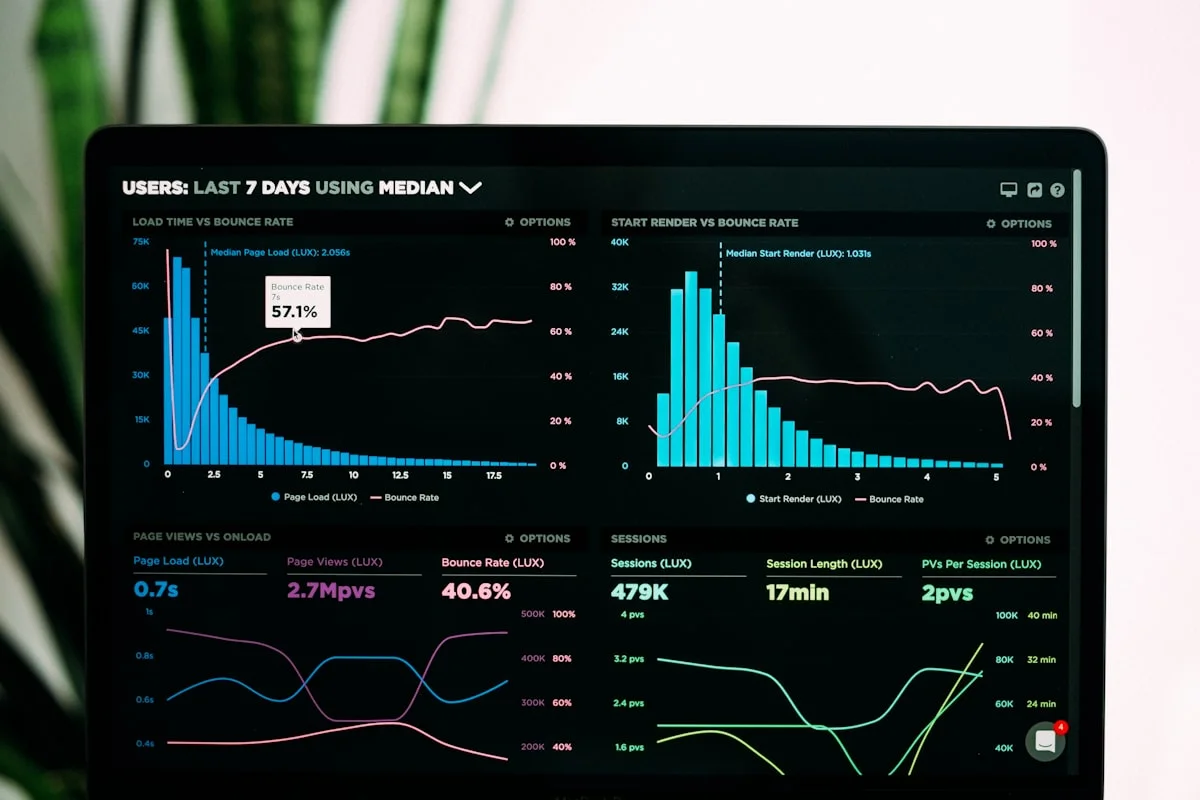
What GitHub and GitLab Measure: Output Metrics in Detail
Developer productivity monitoring through GitHub and GitLab analytics is output-based measurement. Both platforms provide rich data about the results of development work, giving engineering managers visibility into what was shipped, how quickly, and by whom.
Commit Frequency and Contribution Graphs
Commit frequency is the most visible GitHub and GitLab metric: how many commits a developer makes per day, per sprint, or per project. GitHub's contribution graph and GitLab's contribution calendar visualize this over time. High commit frequency is generally a positive signal for developers working on well-decomposed tasks, as it indicates regular progress and frequent integration. Low commit frequency could indicate large, complex tasks being tackled in single commits, blocked work, or reduced activity. The metric is directionally useful but context-dependent.
Pull Request Cycle Time
Pull request cycle time, sometimes called PR throughput, measures the elapsed time from PR creation to merge. This is one of the most widely used engineering productivity metrics because it reflects the entire code review and iteration cycle. GitHub's built-in pull request analytics and GitLab's Merge Request analytics both track this. Engineering intelligence platforms like Waydev, LinearB, and Pluralsight Flow specialize in aggregating and benchmarking cycle time across teams and over time.
Industry benchmarks from LinearB's 2025 Engineering Benchmarks report place elite teams at a median cycle time under 1.5 days, industry average teams at 3-5 days, and teams needing improvement at over 7 days. These benchmarks give engineering managers a reference point, but they do not explain why a team moved from elite to average cycle time in a particular quarter. That explanation requires behavioral context that Git metrics alone cannot provide.
Code Review Participation
Code review metrics from GitHub and GitLab include reviews submitted per developer per period, comments per review, the ratio of reviews given to reviews received, and the time from review request to first comment. Healthy code review participation is associated with higher code quality, faster knowledge transfer within teams, and lower defect rates. Microsoft Research's analysis of Microsoft's own engineering teams found a direct positive correlation between code review participation and code quality outcomes.
DORA Metrics and Deployment Frequency
The DORA (DevOps Research and Assessment) metrics framework identifies four key performance indicators for software delivery: deployment frequency, lead time for changes, change failure rate, and time to restore service. GitHub Advanced Security and GitLab's CI/CD analytics provide data inputs for these metrics. DORA metrics are the most widely accepted system-level productivity benchmarks in software engineering and have strong predictive validity for organizational software delivery performance. They measure the system, not the individual, which is their primary strength and their primary limitation for manager-level workforce visibility.
The Output Gap
All of these metrics share a fundamental limitation: they measure the end product of development work, not the conditions that produced it. A developer who committed 15 times in a sprint and one who committed 4 times are described identically in terms of behavioral investment if the Git data is your only source. The 15-commit developer might have worked 8 focused hours per day in their editor. The 4-commit developer might have worked 8 hours per day with 3 of those hours consumed by Slack notifications, impromptu video calls, news browsing, and application switching that repeatedly broke their concentration. Git cannot distinguish between these two scenarios. eMonitor can.
Context Switching: The Hidden Developer Productivity Killer
Context switching is the single most important behavioral variable in developer productivity that Git metrics do not capture. Research from the University of California Irvine (Gloria Mark, 2004, replicated multiple times since) established that it takes an average of 23 minutes to fully regain focus on a complex cognitive task after an interruption. For software developers, whose work demands sustained concentration, working memory retention, and multi-system mental models, the cost of each context switch is substantially higher than for lower-complexity work.
What Application Switch Frequency Reveals
eMonitor measures application switch frequency: the number of times an employee switches between applications per hour. This metric is a reliable behavioral proxy for context switching load. A developer in a deep work session shows a characteristic pattern: the code editor dominates active window time for 30-90 minute blocks, with infrequent transitions to reference browsers or documentation tools and back. This produces an application switch frequency of 5-15 switches per hour during focused coding sessions.
A developer experiencing context switching overload shows a starkly different pattern: rapid alternation between the code editor, a communication tool, a browser, the code editor, another browser tab, and back to communication. Application switch frequencies of 40-60 per hour during what should be coding time indicate a work environment that is structurally preventing deep work, regardless of the developer's intentions or effort.
The 23-Minute Recovery Cost in Practice
Consider a developer who checks Slack every 15 minutes during a 4-hour coding block. Each check, even if it takes only 2 minutes to read and respond, triggers an estimated 23-minute recovery period before full cognitive focus returns. In a 4-hour session with 16 Slack interruptions, theoretical productive coding time is 4 hours; actual deep work time, accounting for recovery periods, is substantially less. This is not a motivation problem. It is a work environment design problem, and it is precisely the kind of problem that behavioral monitoring data makes visible and actionable.
eMonitor's application switch frequency data, reviewed at the team level during a sprint retrospective, gives engineering managers concrete evidence for restructuring communication norms: moving to async updates over synchronous chat, batching non-urgent notifications, and protecting developer calendar blocks with meeting-free deep work periods. Teams that implement these changes based on behavioral monitoring data typically report 20-30% improvement in individual deep work time within the first quarter (internal eMonitor customer data, 2025).
Identifying Flow State vs. Fragmented Work
Flow state, in Csikszentmihalyi's original formulation, is a state of optimal cognitive engagement characterized by deep focus, high performance, and subjective ease. Research on knowledge worker productivity consistently identifies flow state as the highest-value cognitive state for creative and technical work. eMonitor's behavioral data identifies flow state proxies: sustained application focus in the primary work tool for 60 minutes or more, low application switch frequency, and high keyboard and mouse activity intensity consistent with active work rather than passive reading or video consumption.
Developers in eMonitor data who show regular flow state patterns (at least one 60+ minute focused session per day in the code editor) consistently correlate with higher Git output metrics in the same sprint: more commits, faster PR cycle times, and higher code review participation. The behavioral input data and the output data tell a consistent story when both are available.
Team Productivity, This Week
Productive hours / day
Activity mix
▲ Deep-focus time up 19% after protecting daily focus blocks.
Illustrative eMonitor dashboard.
Engineering leaders can also read how monitoring complements issue tracking in our guide to employee monitoring and Jira.
Time-in-Editor vs. Time-in-Browser: The Metric Git Never Had
Time-in-editor is one of the most practically useful developer productivity metrics that Git platforms do not provide. eMonitor tracks time spent in specific application categories with role-based classification, meaning the platform administrator configures which applications are "productive" for a developer role: IDEs and code editors (VS Code, IntelliJ IDEA, PyCharm, Vim, Emacs), debugging tools, terminal applications, version control GUIs, and role-specific documentation tools are classified as productive. Communication tools, general browsers on non-documentation domains, and non-work applications are classified as non-productive or neutral.
What Time-in-Editor Data Shows
For a full-time developer role, healthy time-in-editor benchmarks, based on eMonitor customer data across 200+ software development teams, show: 4-6 hours of active development tool time per day, 1-2 hours in communication and collaboration tools, and 1-2 hours in browser research, documentation, and design reference tools. Time-in-editor below 3 hours for a developer with no significant meeting load is a signal worth examining.
The signal can indicate several different root causes: a developer exploring new technology through browser research and learning (positive), a developer distracted by non-work browsing (requiring coaching), a developer experiencing motivation or engagement issues (requiring a different conversation), or a developer whose tasks are poorly defined and they are spending excessive time in project management tools trying to clarify scope (an organizational effectiveness issue). The data surfaces the pattern; the manager's judgment determines the response.
Browser Research vs. Browser Distraction
Not all browser time is equivalent for developers. eMonitor's URL-level activity tracking distinguishes between browser time on technical documentation domains (Stack Overflow, MDN Web Docs, official language documentation, GitHub issue trackers) and browser time on news, social media, entertainment, or general browsing. This distinction matters for developer productivity measurement because developers legitimately spend significant time in browsers as part of technical research. Treating all browser time as non-productive significantly misclassifies developer behavior. eMonitor's role-based productivity classification allows administrators to mark technical documentation domains as productive for developer roles, ensuring that research time is correctly categorized.

See the Behavioral Input Behind Your Engineering Output Metrics
eMonitor adds time-in-editor, context switch frequency, and deep work tracking to your developer productivity picture. No code required to deploy.
Use Case 1: Understanding Why Sprint Velocity Dropped
Sprint velocity drops are one of the most common and frustrating problems in Agile engineering teams. They are also among the most misdiagnosed. The typical response is scope creep analysis: was there more work added mid-sprint than estimated? Story point calibration errors? Technical debt accumulation? These are valid hypotheses, and Git data (commit distribution, PR cycle time changes, story completion rate) helps evaluate some of them. But a significant proportion of velocity drops originate not in the work itself but in the behavioral conditions under which the work was attempted.
A Diagnostic Framework Using eMonitor Data
When sprint velocity drops below baseline, engineering managers using eMonitor review three behavioral metrics for the sprint period: average application switch frequency per developer per day (did context switching increase?), average time in development tools per developer per day (did coding time decrease despite being scheduled?), and meeting and communication tool time as a percentage of the workday (did meeting load increase?). Comparing these metrics against the previous two sprints reveals whether the velocity drop has a behavioral explanation.
A real-world scenario illustrates this diagnostic value: a 12-person engineering team shows a 35% sprint velocity drop in one sprint. Git data shows no unusual scope additions. eMonitor data for the same period shows: average application switch frequency increased from 18 per hour to 31 per hour, average time in development tools decreased from 5.1 hours per day to 3.4 hours per day, and communication tool time increased from 18% of the workday to 34%. The company had launched a new project management tool that sprint, generating a significant volume of training materials, notification configuration discussions, and workflow reconfiguration meetings. The behavioral data explains the velocity drop; the Git data could not. With the explanation in hand, the engineering manager knows to reduce tool change overhead in the following sprint, not to adjust story point estimates.
Use Case 2: Billable Hour Documentation for Client-Facing Dev Teams
Software development agencies, consultancies, and staff augmentation firms face a persistent challenge in client billing: demonstrating the validity of time billed to clients when clients question whether hours were genuinely spent on project work. This challenge is particularly acute for remote developer teams where the traditional in-office visibility that gave clients implicit confidence in billing accuracy is absent.
What eMonitor Provides for Billing Evidence
eMonitor's time tracking and application usage data creates a behavioral audit trail for billed hours. For each developer billing time to a client project, eMonitor records: total active time during the billed hours, time spent in the specific development tools and environments used for that client's technology stack, time spent in project management and communication tools used by that client's project, and overall productive time percentage during the billed period. This behavioral record is substantially more defensible than self-reported timesheets when a client disputes a bill.
The practical implementation for billing accuracy: developers tag their time to client projects (or eMonitor auto-associates time to projects based on application and URL context). At billing time, the project-level eMonitor report shows total active hours, tool-specific time breakdown, and productivity percentage. Clients can be shown aggregate behavioral evidence that hours were actively worked rather than idle. This transparency, offered proactively to clients, consistently improves client confidence in billing accuracy and reduces billing disputes.
Overtime Documentation for Client Projects
Many client contracts include provisions for overtime billing at a premium rate, but premium billing is only defensible with verifiable evidence of extended work hours. eMonitor's automated time records provide timestamped evidence of actual work hours that extends beyond standard business hours, with application usage data confirming active work rather than idle time. This protects the agency from client disputes about billed overtime and protects developers from having undocumented overtime discounted or refused.

Use Case 3: Identifying Developers in Flow vs. Fragmented Work Patterns
Not all developers on a team work in the same behavioral pattern, even when they have equivalent skills and equivalent workloads. Some naturally chunk work into long focused sessions; others work in shorter bursts with more frequent breaks and context shifts. Both patterns can be effective, and eMonitor is not a tool for enforcing a single work style. What eMonitor can identify is the difference between voluntary, self-managed work patterns and involuntary fragmentation caused by environmental factors the developer cannot control.
Voluntary vs. Involuntary Fragmentation
Voluntary fragmentation looks like: a developer who takes a 10-minute break every 90 minutes (consistent with Pomodoro or similar personal productivity techniques), shows consistent productivity scores, and maintains strong output metrics. This pattern is healthy and should not trigger any management intervention.
Involuntary fragmentation looks like: a developer whose application switch frequency spikes during specific time windows that correlate with standup meetings, Slack notification spikes in the team channel, or the working hours of a particularly communicative colleague or manager. This pattern indicates that environmental factors are breaking the developer's concentration against their own preferences, and eMonitor's data can support a targeted intervention: moving the standup to a less disruptive time, implementing quiet hours in the team Slack channel, or having a direct conversation with the high-volume communicator about batching non-urgent messages.
Using eMonitor to Protect Developer Flow Time
The most powerful application of behavioral monitoring data for developer teams is using it to design work environments that protect focus time. Engineering managers at companies including Netflix, Basecamp, and Shopify have publicly documented their approach of protecting developer morning hours from meetings, implementing notification quiet hours, and measuring the impact of these changes on developer output. eMonitor provides the measurement capability to run these experiments with data rather than intuition: implement a meeting-free morning policy, measure time-in-editor and application switch frequency before and after, and confirm whether the policy improved the behavioral conditions for deep work. The data makes management decisions about team environment testable and improvable.
Ethical Developer Monitoring: Transparency, Buy-In, and the Right Scope
Developer monitoring generates more resistance than monitoring for most other roles, and this resistance is rational. Developers are knowledge workers whose creative output depends on psychological safety, autonomy, and trust. Monitoring programs that feel like micromanagement or distrust erode exactly the conditions that produce good engineering work.
The Case for Transparent Monitoring
The most effective developer monitoring programs share a common characteristic: developers can see their own data. When a developer can review their own time-in-editor, context switching frequency, and productivity score in their personal eMonitor dashboard, the monitoring system becomes a self-management tool rather than a surveillance tool. Developers consistently report finding their own behavioral data useful: seeing a quantified record of how much meeting time consumed their week makes a stronger case for calendar protection than subjective frustration alone. The data they see is the same data their manager sees, which eliminates the asymmetry of information that makes monitoring feel adversarial.
What Not to Monitor
Effective and ethical developer monitoring covers behavioral patterns at the application and time-allocation level: which tools are used, for how long, with what switching frequency. It does not require granular keystroke logging that captures the content of code written, message content recorded through audio monitoring, or screenshot frequency so high that individual lines of code are readable in captured images. These granular approaches exceed what is necessary for productivity management, create significant legal exposure under GDPR and similar frameworks, and actively harm the developer trust that good engineering teams require. eMonitor's configurable monitoring levels allow organizations to set a monitoring scope appropriate to their legitimate business need without defaulting to maximum intrusiveness.
Getting Developer Buy-In
Developer buy-in for monitoring programs increases significantly when the purpose is framed correctly: the monitoring data is for improving work conditions, not for evaluating individual performance against arbitrary thresholds. Presenting monitoring as a team-level tool for understanding whether engineering processes are working (is our meeting schedule helping or hurting sprint velocity? is our communication culture protecting or fragmenting focus time?) positions it as organizational intelligence rather than individual surveillance. The specific ask of a developer audience: "We want to use this data to fight for better working conditions for the team, including reducing unnecessary meetings and protecting your focus time. Your individual data is between you and your manager." This framing, combined with visible access to personal data, achieves substantially higher acceptance than announcing monitoring as a productivity enforcement mechanism.

Frequently Asked Questions: Developer Productivity Monitoring and GitHub/GitLab
What does GitHub or GitLab tell you about developer productivity?
GitHub and GitLab provide output-based metrics: commit frequency, pull request cycle time, code review participation, issue closure rate, and deployment frequency for teams using integrated CI/CD pipelines. These metrics measure the results of development work. They do not measure how the developer spent their time, how much of the workday was used for coding versus meetings or distractions, or what behavioral factors contributed to the output pattern.
Why is context switching harmful to developer productivity?
Context switching carries a significant cognitive cost for knowledge workers. Research from the University of California Irvine found that it takes an average of 23 minutes to regain full focus after an interruption. For developers, interruptions include notification checks, Slack message responses, meeting attendances, and application switches. A developer who switches applications 40 times per hour is unlikely to produce the same quality or quantity of deep work as one who maintains focused sessions of 60 minutes or more.
How does eMonitor track developer productivity?
eMonitor tracks developer productivity through behavioral input metrics: time spent in code editors and development tools classified as productive, time in browsers and communication tools, application switch frequency per hour as a proxy for context switching load, idle time relative to scheduled work hours, and the proportion of the workday spent in deep work versus reactive communication. These behavioral metrics complement Git output metrics to explain why output varies.
What is the difference between Git output metrics and behavioral input metrics?
Git output metrics such as commits, pull requests, and code review counts measure what a developer produced. Behavioral input metrics measure the conditions under which that work happened: how much time was spent coding, how frequently work was interrupted, what proportion of the day was deep work versus meetings. Output metrics tell you the score. Input metrics explain why that score happened, and which inputs to adjust to improve future output.
Is monitoring developer productivity ethical?
Developer productivity monitoring is ethical when implemented transparently, used to improve working conditions rather than penalize individuals, and kept at the behavioral input level rather than granular content scrutiny. The most effective approach covers time in development tools, context switching frequency, and meeting load versus deep work time. Developers who see their own data consistently report finding it useful for self-management. The monitoring goal should be creating better conditions for deep work.
How do you explain a sprint velocity drop using monitoring data?
Sprint velocity drops have three primary behavioral causes detectable through monitoring data: increased context switching frequency, increased meeting load in communication tools with less time in development environments, or external distraction patterns with non-work application usage increasing during the sprint. eMonitor's timeline and productivity data for the affected sprint period surfaces which of these factors was most active, enabling an engineering manager to address the root cause rather than responding to the symptom.
Does eMonitor integrate with GitHub or GitLab?
eMonitor does not currently have a direct API integration with GitHub or GitLab that combines commit data with behavioral data in a single dashboard. eMonitor operates as the behavioral input layer, while GitHub and GitLab provide the output layer. Organizations combine these data sources by reviewing eMonitor productivity reports alongside GitHub or GitLab analytics in separate dashboards, using time-period correlation to explain output variations through behavioral context.
What is a healthy developer productivity profile in eMonitor data?
A healthy developer productivity profile in eMonitor typically shows 4-6 hours of active time in development tools per day, application switch frequency below 20 per hour during coding sessions, at least one focused work block of 90 minutes or more per day with minimal switching, meeting and communication tool time below 25-30% of the workday, and overall productive time percentage above 70%. These benchmarks vary by role and sprint phase; establish individual baselines before applying team-level comparisons.
How do engineering teams use eMonitor for billable hour documentation?
Engineering teams on client projects use eMonitor's time tracking and application usage data to document billable hours with behavioral evidence. eMonitor records time spent in client-specific development tools, repositories, and project management platforms, generating a behavioral audit trail that supports timesheet accuracy and client billing documentation. This is particularly valuable for consulting firms and agencies where client billing disputes require time verification beyond self-reported timesheets.
What is DORA and how does eMonitor complement DORA metrics?
DORA metrics are the four key performance indicators for software delivery: deployment frequency, lead time for changes, change failure rate, and time to restore service. These are system-level outcome metrics. eMonitor complements DORA metrics by providing individual developer behavioral input data that explains variations in DORA outcomes: why lead time increased, whether developer capacity was reduced during the measurement period, and whether context switching contributed to change failure patterns.
How does eMonitor handle developer privacy concerns?
eMonitor addresses developer privacy through configurable monitoring boundaries and employee-visible dashboards. Monitoring operates only during contracted work hours. Developers see their own productivity data in their personal eMonitor dashboard, giving them the same visibility as their manager. Monitoring covers application-level activity and time allocation, not content: code written, messages typed, or browser content is not captured. This behavioral-only, transparent approach is the standard privacy-first configuration for developer teams.
Sources and Further Reading
- Gloria Mark, University of California Irvine: The Cost of Interrupted Work: More Speed and Stress (CHI 2008), 23-minute focus recovery research
- LinearB: 2025 Engineering Benchmark Report, PR cycle time benchmarks by team tier
- DORA: State of DevOps Report 2024, DORA metrics and software delivery performance benchmarks
- Microsoft Research: Characteristics of Software Engineering Work, code review participation and quality correlation
- Mihaly Csikszentmihalyi: Flow: The Psychology of Optimal Experience, flow state research foundation
- Nicole Forsgren, Jez Humble, Gene Kim: Accelerate: The Science of Lean Software and DevOps, DORA metrics framework
Give Your Engineering Team the Behavioral Input Layer
eMonitor adds time-in-editor, context switching frequency, and deep work identification to your developer productivity analytics. Setup in under 30 minutes, no code required.