


Employee Monitoring Not Delivering ROI? A 5-Question Diagnostic Framework
An employee monitoring ROI diagnostic framework helps organizations identify why their monitoring program is not delivering expected value through five diagnostic questions covering scope, manager behavior, employee awareness, data actionability, and training. Each question maps to a specific remediation path so organizations can move from stalled programs to measurable results within 60 to 90 days.
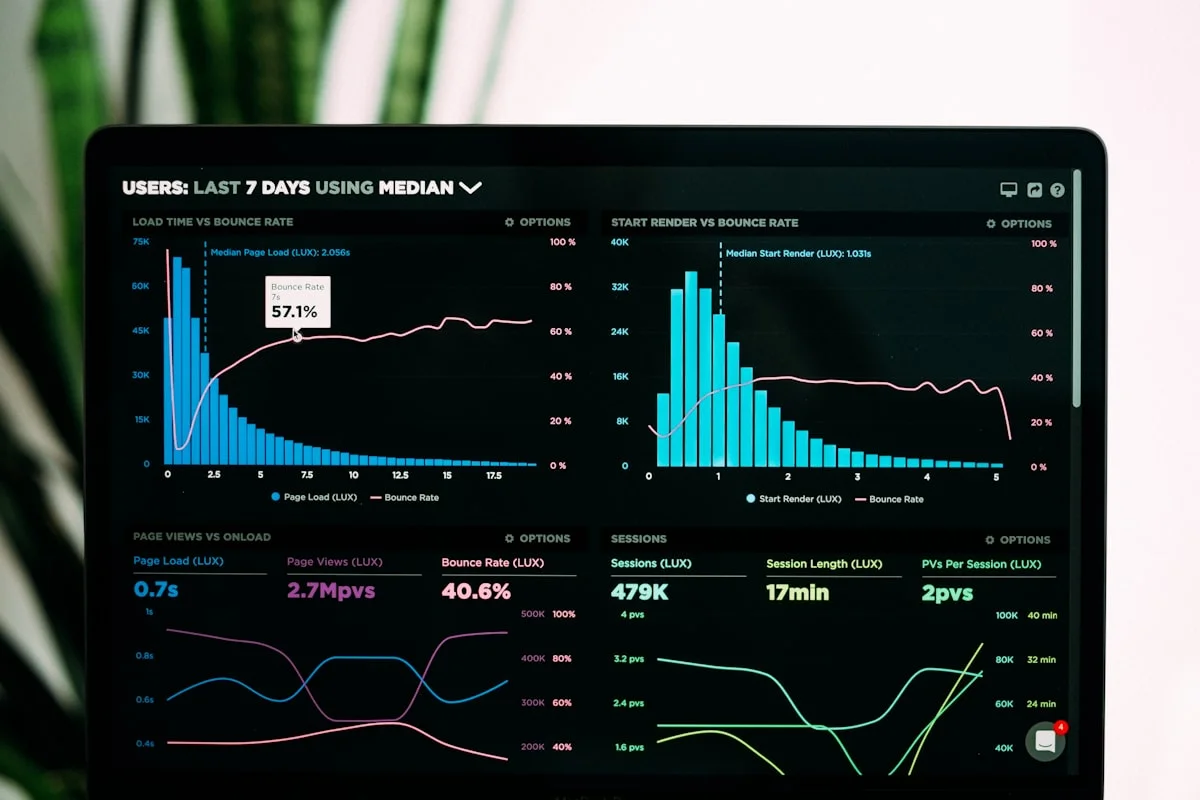
When Monitoring Data Sits Unused, the Problem Is Not the Software
Employee monitoring ROI failures share a consistent pattern. The software is installed. Data flows into dashboards. Reports generate on schedule. And then nothing changes. Productivity does not improve. Managers do not change their behavior. Employees remain unaware of what is being tracked or why. Six months later, an executive asks why the investment has not paid off.
The instinct is to blame the tool. But the five root causes that drain monitoring ROI have almost nothing to do with software capability. They are organizational: scope decisions made without thinking through what the organization can act on, rollout communications that created distrust rather than clarity, managers who were handed dashboards without any training in how to use them, and reporting configurations that describe activity in detail but never connect that activity to a business outcome.
This diagnostic framework gives you five questions to locate exactly which failure mode your program is experiencing. Each question has a diagnostic test and a specific remediation path. Work through all five before drawing any conclusions about whether monitoring is the right approach for your organization.
Why Monitoring Programs Fail to Deliver Value: The Data
Gartner research on workforce analytics adoption shows that 74% of monitoring programs that fail to show measurable ROI within 12 months share at least three of five identifiable failure characteristics. The top three are: data that is never acted on by managers (present in 68% of failing programs), employees who do not understand what is monitored or why (61%), and a monitoring scope that exceeds what the team can realistically respond to (58%).
The same research notes that organizations with a structured 90-day rollout, which includes communication planning, manager training, and a defined metrics framework, are 3.4 times more likely to report positive ROI than organizations that deploy monitoring without a formal rollout process.
The implication is direct: monitoring programs fail at the organizational layer, not the technology layer. The measurement framework you use to evaluate program success is as important as the monitoring data itself. Before running this diagnostic, check whether your organization defined success metrics before deployment. If it did not, the diagnostic below will also surface a remediation path for that gap.
The Five Root Causes at a Glance
| Diagnostic Question | Root Cause | Primary Symptom | Time to Remediate |
|---|---|---|---|
| Q1: Is the scope right? | Scope too broad or undefined | Managers feel overwhelmed; no clear action signals | 2 to 3 weeks |
| Q2: Is the framing punitive? | Surveillance culture vs. productivity culture | Employee resistance, low morale, increased turnover signals | 4 to 6 weeks |
| Q3: Do employees know what is tracked? | Employee awareness gap | Distrust, grievances, managers avoiding conversations | 1 to 2 weeks |
| Q4: Is the data actionable? | Descriptive reports without decision triggers | Dashboards viewed but no behavior change | 2 to 4 weeks |
| Q5: Are managers trained? | No manager training on data use | Dashboards ignored; monitoring data used inconsistently | 3 to 4 weeks |
Team Productivity, This Week
Productive hours / day
Activity mix
▲ Deep-focus time up 19% after protecting daily focus blocks.
Illustrative eMonitor dashboard.
Diagnostic Question 1: Is the Monitoring Scope Matched to What Your Organization Can Act On?
Monitoring scope refers to the categories of data your program collects: application usage, website activity, time tracking, screen captures, keystroke intensity, file transfers, audio recording, and GPS location. Each data category is valuable in specific contexts. When all categories are enabled without a defined reason, the scope almost always exceeds what managers can realistically process and act on.
The Diagnostic Test
Ask your managers this question: "Name the two metrics in the monitoring dashboard you reviewed last week and the action you took because of each one." If fewer than half of your managers can answer this question with specific metrics and specific actions, your scope is wider than your organizational capacity to use it.
A secondary test: open your current reporting configuration and count the number of distinct data points visible on the default manager dashboard. Industry data from workforce analytics deployments shows that dashboards with more than eight distinct metric panels have a 60% lower rate of weekly active use than dashboards with three to five focused panels. More data does not produce better decisions when the cognitive load exceeds what managers have time to process in their normal workflow.
The Remediation Path
Right-sizing the monitoring scope starts with a business question audit. For each data category currently enabled, write down the specific business question that category answers. If you cannot write a clear business question, disable that category. The monitoring scope should be the minimum data set required to answer the questions the program was built to address.
A productivity-focused program for a remote software team needs active time ratios, application usage data grouped by productive and non-productive classifications, and focus time blocks. It does not need audio recording or file transfer logs unless data security is a distinct goal. A data security program for a financial services firm needs file transfer monitoring, USB device activity, and sensitive application access logs. It does not need application productivity scoring for the same deployment.
After reducing scope, reconfigure the default manager dashboard to show three to five metrics that directly answer the team's primary business question. Pin those metrics. Archive everything else in advanced reports that managers can access when they have a specific investigation need. This reconfiguration typically takes two to three weeks and requires a brief communication to managers explaining the change. Teams that complete this reconfiguration report a 40 to 60% increase in dashboard engagement within 30 days.
Diagnostic Question 2: Is the Monitoring Program Framed as Productivity Support or as Surveillance?
Punitive framing is the fastest path to a monitoring program that collects accurate data and produces no results. When employees perceive monitoring as a mechanism for catching mistakes rather than supporting better work, behavioral and organizational research consistently shows three responses: increased anxiety, reduced creative initiative, and a shift toward appearing busy rather than doing genuinely productive work.
The Diagnostic Test
Review the original communications sent to employees when monitoring was introduced. Count the number of sentences that describe what monitoring will catch or prevent versus what monitoring will help employees accomplish. If the ratio is greater than 2:1 in favor of prevention language, the program launched with punitive framing.
A secondary signal: check whether employees have access to their own monitoring data through a personal dashboard. Programs where employees cannot see their own tracked data have a 38% higher rate of grievance-related friction than programs with full employee-facing transparency (Society for Human Resource Management, 2025). If your employees cannot see what managers see about them, the program design itself encodes a surveillance framing regardless of how it was communicated.
The Remediation Path
Reframing a punitive monitoring program requires three visible changes that employees can observe directly. First, enable employee-facing dashboards so every employee can see their own activity data, productivity scores, focus time, and attendance records. This single change does more to reduce surveillance perception than any communication document because it demonstrates transparency rather than describing it.
Second, reconfigure alerts so that the primary trigger for manager notifications is a positive pattern, such as a team member who has sustained high productivity for a week, alongside the negative patterns. Programs that only alert managers to problems train managers to associate monitoring data with discipline. Programs that also surface recognition opportunities train managers to use data for development.
Third, rewrite the program communication from scratch with an explicit "what's in it for you" framing for employees. Explain specifically how monitoring data protects employees: accurate time records prevent unpaid overtime disputes, productivity data provides objective evidence during performance reviews, and focus time analysis can support requests for schedule adjustments. The recovery process for a failed monitoring rollout covers this reframing in detail, including communication templates and a 30-day re-engagement sequence.
Diagnostic Question 3: Do Employees Understand What Is Monitored, Why It Is Monitored, and What Happens to the Data?
The employee awareness gap is one of the most correctable root causes of monitoring program failure, yet it persists in a surprisingly high percentage of deployments. A 2025 survey by the International Association of Privacy Professionals found that 52% of employees at organizations with active monitoring programs could not accurately describe what data their employer collects. Among those employees, 71% reported distrust of the program and 44% reported actively attempting to work around monitoring systems.
The Diagnostic Test
Survey a random sample of ten employees with four questions: What data does the monitoring system collect about your work? When is monitoring active? Who can see your monitoring data? How is monitoring data used in performance evaluations? If fewer than seven of ten employees answer all four questions accurately, your program has an awareness gap that is actively undermining adoption.
You do not need a formal survey tool for this. A manager asking these four questions at the start of a team meeting produces sufficient signal within 15 minutes. The accuracy of employee answers tells you whether your initial communication reached the team and whether that communication has been maintained as the program evolved.
The Remediation Path
Closing the employee awareness gap requires a single, plain-language document that answers the four diagnostic questions explicitly: what is collected, when it is active, who sees it, and how it connects to performance processes. This document should be no longer than two pages and should be written at a reading level accessible to every role in the organization, not just knowledge workers.
Distribute this document in a team meeting where managers read through it and answer questions in real time. Follow the meeting with a 30-day window for anonymous questions through a shared form. Publish all answers to all questions from that period to the whole team. This process takes two weeks and closes the awareness gap more effectively than any amount of policy documentation, because it creates a two-way dialogue rather than a one-way disclosure.
After closing the initial gap, build an awareness maintenance process. Every time the monitoring scope changes, employees receive a brief update. New hires receive the monitoring overview during onboarding before monitoring becomes active. These maintenance steps prevent the awareness gap from reopening as the program evolves.
Diagnostic Question 4: Does Your Monitoring Data Connect Directly to Decisions, or Does It Only Describe Activity?
Descriptive monitoring data tells you what happened. Actionable monitoring data tells you what to do next. Most monitoring programs generate detailed descriptive data and almost no decision triggers. This is the data-to-action gap, and it is the primary reason monitoring programs can run for 12 months without changing any organizational behavior.
The Diagnostic Test
Open your monitoring dashboard and locate the productivity report for last week. For each metric shown, write down the specific action a manager should take if that metric moves by 10% in either direction. If you cannot write a clear action for more than half of the metrics shown, your reporting configuration has a data-to-action gap.
A second diagnostic test: ask your managers when they last used monitoring data to initiate a conversation with an employee or make a staffing decision. If the most recent instance was more than two weeks ago for any manager, the data is being reviewed but not acted on. Review without action is the definition of descriptive-only monitoring.
The Remediation Path
Converting descriptive data to actionable data requires two structural changes. The first is threshold-based alerts that eliminate the need for managers to check dashboards proactively. Configure alerts for the specific patterns that require a manager response: a team member whose productive time ratio drops below 50% for three consecutive days, an individual whose focus time blocks have decreased by more than 30% in a week, a team where aggregate idle time has increased by 20% compared to the previous week's baseline. When these thresholds are crossed, managers receive a notification with the specific metric and a suggested action, not a raw data dump.
The second structural change is a weekly team metrics review ritual that managers conduct in 15 minutes or less. This review covers three numbers: the team's average productive time ratio, the team's top focus time performer, and one team member whose pattern suggests they may benefit from a check-in conversation. This ritual connects the data to a regular management behavior without requiring managers to spend significant time in dashboards.
eMonitor's real-time alerts system and configurable reporting dashboards are designed specifically for this threshold-based approach, with alert templates for the most common productivity and attendance patterns. After reconfiguring reporting around decision triggers, organizations typically see manager dashboard engagement increase by 55% within the first 30 days, and the frequency of data-driven coaching conversations doubles within 60 days (eMonitor customer data, 2026).
Diagnostic Question 5: Have Managers Been Trained to Use Monitoring Data in Coaching Conversations?
Manager training is the most consistently skipped step in monitoring program deployments and the single factor most correlated with whether a program produces measurable results. Organizations invest significant time selecting and configuring monitoring software, then provide managers with a 30-minute product walkthrough and assume they know how to translate dashboard data into productive team conversations. This assumption is almost always wrong.
The Diagnostic Test
Ask three of your managers to demonstrate how they would open a performance conversation with an employee using monitoring data. Specifically, ask them to role-play the opening two minutes of a conversation where the monitoring data shows a team member's productive time has declined by 25% over the past two weeks. If the managers cannot describe a non-confrontational opening that frames the data as a coaching input rather than an accusation, they have not been trained for this scenario.
Untrained managers respond to negative monitoring data in one of two ways: they avoid the conversation entirely, which means the data never drives any behavior change, or they present the data confrontationally, which triggers employee defensiveness and erodes the trust that makes monitoring programs viable. Both responses are predictable when managers have not been given a framework for how to use the data.
The Remediation Path
Manager training for monitoring data use does not need to be an extensive program. A three-hour workshop structured around three components produces measurable behavior change within 30 days. The first component is a metrics vocabulary session: managers learn what each tracked metric means in plain terms, what normal ranges look like for their team type, and what deviations suggest about underlying causes rather than individual failings. The second component is a conversation framework: managers practice opening performance conversations with data by stating a pattern, asking a question before drawing a conclusion, and agreeing on a next step together with the employee. The third component is a recurring cadence: managers commit to one data-informed check-in per team member per month as a minimum standard.
The guide to using monitoring data in coaching conversations provides a complete conversation framework including opening scripts, question sequences, and follow-up protocols for the most common monitoring data patterns. This resource is specifically designed for managers with no prior experience using workforce data in performance conversations.
After completing this training, track manager behavior over the following 60 days by measuring: the percentage of managers who conduct at least one data-informed check-in per team member, the rate at which monitoring alerts are followed by a documented manager action, and the change in team-level productivity ratios compared to the pre-training baseline. These three metrics tell you whether the training translated into behavior change or remained theoretical.

Building Your 90-Day Monitoring ROI Remediation Plan
After running all five diagnostic questions, you have a clear picture of which failure modes are active in your program. Most organizations find two or three active failure modes, rarely all five. The remediation plan sequences the fixes in order of dependency: some fixes must come before others to work.
Week 1 to 2: Foundation Fixes
Start with the awareness gap (Q3) regardless of whether it tested as a primary failure mode. Employee awareness is the foundation that all other fixes depend on. If employees do not understand what is tracked and why, reframing conversations (Q2) and training managers to use the data (Q5) will not produce the desired results because employees will interpret every monitoring-related conversation through a distrust lens. Write the plain-language disclosure document. Schedule team meetings. Open the anonymous question window.
Week 3 to 4: Scope and Framing Fixes
After the awareness foundation is in place, address scope (Q1) and framing (Q2) simultaneously. Reduce the monitoring configuration to the minimum data set required for your stated business questions. Enable employee-facing dashboards. Reconfigure alerts to surface both recognition and concern signals. These two weeks produce the first visible changes that employees and managers observe in how the program operates, which builds the credibility needed for the training phase.
Week 5 to 8: Manager Training and Data-to-Action Fixes
Train managers using the three-component workshop described in Q5. Simultaneously, reconfigure reporting around decision triggers rather than descriptive summaries (Q4). Configure threshold alerts for the patterns that require manager action. Establish the weekly 15-minute team metrics review ritual. By the end of week 8, every manager should have conducted at least one data-informed coaching conversation and received feedback on how it went.
Week 9 to 12: Measurement and Iteration
During the final four weeks of the remediation window, measure whether the fixes are working. Track the three output metrics from Q5: manager check-in rates, alert-to-action conversion rates, and team-level productivity ratio changes. Also survey a sample of employees using the four awareness questions from Q3 to verify that the awareness gap has closed. If any metric is not moving in the target direction, revisit the corresponding diagnostic question and look for a secondary cause that the primary fix did not address.
Organizations that complete all five diagnostic fixes and implement the 90-day remediation plan report average productivity ratio improvements of 18 to 24% at the 90-day mark, consistent with broader research on structured monitoring program deployments. The key distinction from unstructured deployments is not the monitoring data collected but the organizational infrastructure built around using it.
When the Program Is Not the Problem: Platform Limitations That Block ROI
Some monitoring programs complete the full diagnostic and remediation cycle and still fail to deliver ROI. In these cases, the limiting factor is the platform itself rather than the organizational processes around it. Platform limitations that block ROI follow a distinct pattern: the data is collected but cannot be filtered or segmented in the way the business needs, the alert system does not support the threshold configurations the organization requires, or the reporting structure cannot produce the output format that managers and executives need to act on the data.
Specific capability gaps that frequently surface after organizational remediation are complete include: inability to classify applications as productive or non-productive by role rather than organization-wide, absence of focus time block detection that distinguishes deep work from fragmented multitasking, no employee-facing dashboard that shows individuals their own data, and alert systems limited to fixed notification templates rather than custom threshold configurations.
eMonitor's productivity monitoring platform is built around role-specific productive classification, focus time analytics, and employee-facing dashboards as core features rather than add-ons. If a platform gap is limiting your program after organizational fixes are in place, the monitoring program recovery guide includes a platform evaluation checklist that identifies the specific capabilities required for a high-ROI deployment.

Run the Diagnostic With Real Data
eMonitor gives you the dashboards, alerts, and employee-facing transparency tools to fix all five root causes. Start a free trial and see the difference a properly configured monitoring program makes.
How to Measure Employee Monitoring ROI After Remediation
Measuring monitoring ROI requires pre-defined output metrics established before the program launches or before the remediation process begins. Without a baseline measurement, it is impossible to demonstrate that the program caused any observed change. This is the reason many programs fail ROI evaluations even when they are working: the organization never established what success looked like before deployment.
The Three-Metric ROI Framework
A monitoring program's ROI is most clearly demonstrated through three categories of output metrics. The first is a productivity ratio: the ratio of productive time (active application usage on classified productive applications) to total tracked time. This ratio provides a direct measure of whether monitored employees are spending more of their work hours on work-relevant activity. A baseline of 58% productive time that rises to 71% after 90 days represents a measurable output that translates directly to value.
The second category is a cost reduction metric: time theft reduction, overtime cost reduction, or billable hour recovery, depending on the industry. For a 50-person team where each employee recovers one hour of productive time per week through monitoring-supported accountability, the annualized value is approximately $130,000 at an average fully loaded labor cost of $50 per hour. This calculation is straightforward but requires the pre-deployment time tracking baseline to make it credible.
The third category is a manager efficiency metric: the time managers spend on performance management activities before and after the monitoring program provides structured data. Managers who previously spent four hours per week on performance-related conversations often report reducing that time by 30 to 40% when monitoring data gives them specific, objective starting points rather than requiring them to reconstruct performance patterns from memory and anecdote.
What Good ROI Reporting Looks Like at 90 Days
A 90-day ROI report for a monitoring program with a structured rollout covers four sections: baseline metrics captured before the program launched, current metrics at the 90-day mark, attribution analysis explaining which program changes drove which metric movements, and a forward projection of annualized value based on the 90-day trajectory. This structure answers the executive audience's core question: did this investment pay off, and will it continue to pay off if we maintain the program? For a deeper look at how to build and present this report, the monitoring program success measurement guide covers the full reporting framework with templates and calculation methods.
Addressing the Objections That Slow Remediation
Monitoring program remediation consistently encounters three organizational objections that slow progress or stop it entirely. Understanding these objections and the evidence-based responses to them accelerates the remediation timeline significantly.
"Our employees will never accept monitoring."
This objection conflates punitive monitoring with transparent monitoring. Employees reject surveillance framing. Employees consistently accept productivity support framing when it is implemented with genuine transparency. A 2025 survey of 4,200 knowledge workers by Qualtrics found that 67% reported being comfortable with monitoring when they could see their own data and understood how it was used. The same survey found only 31% comfort among employees who could not see their own data. The variable is not monitoring itself but transparency and employee access to their own information.
"Our managers do not have time for this."
Managers do not have time for poorly designed monitoring programs that require them to spend hours reviewing dashboards without clear direction on what to look for or what to do. The remediation path described in Q4 and Q5 specifically addresses this: threshold-based alerts eliminate proactive dashboard review, and the 15-minute weekly team metrics ritual replaces open-ended data analysis. The time investment for a trained manager using a properly configured monitoring program is 20 to 30 minutes per week, which is significantly less than the time most managers currently spend on performance management without data support.
"The data changes employee behavior, but not in the direction we want."
When monitoring data causes employees to optimize for appearance rather than output, the framing (Q2) and scope (Q1) issues are both active simultaneously. Employees who feel surveilled optimize for the metrics they know are being watched rather than for genuine productivity. The fix is to monitor outputs alongside activity: pair application usage data with project completion rates and output quality metrics so that activity data cannot be gamed without a corresponding change in actual results. This pairing shifts the optimization target from "appear busy" to "be productive," which is the behavior the program was designed to produce.
Frequently Asked Questions
Why is my employee monitoring software not working?
Employee monitoring software most often fails to deliver results because of four root causes: the monitoring scope is broader than what managers can meaningfully act on, employees were not informed about the program and distrust it, managers were never trained to use the data in coaching conversations, or the dashboards produce reports that describe activity without connecting it to business outcomes. The software itself is rarely the problem. Running the five-question diagnostic in this article identifies which root cause is active in your specific program.
What are the most common reasons monitoring programs fail to deliver ROI?
The five most common causes of low monitoring ROI are: scope that exceeds what the organization can act on, punitive framing that triggers employee resistance, an employee awareness gap where staff do not know what is tracked or why, data that is descriptive rather than actionable, and an absence of manager training. Gartner research shows that 74% of monitoring programs that fail to show measurable ROI within 12 months share at least three of these five characteristics. Addressing all five in sequence produces measurable results within 60 to 90 days.
How do you fix low manager adoption of monitoring data?
Low manager adoption is fixed through structured training that translates raw monitoring metrics into conversational frameworks. Managers need three things: clarity on which two or three metrics matter most for their team, a coaching script for discussing monitoring data with employees, and a regular cadence such as a weekly 15-minute team review. Without these three elements, monitoring dashboards remain unused regardless of how accurate the data is. A three-hour manager training workshop structured around these three components produces measurable behavior change within 30 days.
What is the right scope for an employee monitoring program?
The right monitoring scope covers the minimum data set required to answer the specific business questions the program was created to address. A program designed to improve remote team productivity needs activity tracking, application usage data, and focus time metrics. A data security program needs file transfer monitoring and USB device activity logs. Enabling all available monitoring categories without a defined business question for each category creates scope overload, where data volume exceeds the organization's capacity to act on it and ROI becomes impossible to demonstrate.
How do you measure whether monitoring is actually improving productivity?
Monitoring programs improve productivity when output metrics move in the target direction within 90 days of deployment. Track three things before and after implementation: a productivity ratio (productive time divided by total tracked time), a focus time percentage (deep work blocks as a proportion of the work day), and a manager response time to performance signals. If none of these metrics change after 90 days, the program has a data-to-action gap. The monitoring data is being collected but is not connected to the management behaviors that produce the productivity change.
Can employee monitoring reduce productivity instead of improving it?
Employee monitoring reduces productivity when it is implemented punitively or without transparency. Microsoft Research data shows that employees who feel surveilled rather than supported exhibit 19% higher anxiety and 14% lower creative output. The corrective is to frame monitoring data as a coaching input rather than a disciplinary record, give employees access to their own dashboards, and use the data to remove obstacles rather than to assign blame. Punitive framing is one of the five root causes diagnosed in the framework above and has a specific remediation path.
How long does it take to see ROI from employee monitoring software?
Organizations with a structured rollout see measurable ROI within 60 to 90 days. The 60-day milestone typically shows attendance and time accuracy improvements, which are the easiest to measure and attribute directly. The 90-day milestone shows productivity ratio gains, which require the full organizational infrastructure of manager training, threshold alerts, and employee transparency to materialize. Organizations without a structured rollout often see no measurable change at 6 months because the data is collected but never acted on.
What should managers do with monitoring data in one-on-one meetings?
Managers use monitoring data in one-on-one meetings to identify patterns, not to assign blame. An effective approach covers three points: a recognition of something the data shows the employee does well, one metric that the manager and employee agree to focus on improving, and a concrete change to the employee's workflow or environment that could move that metric. This structure makes monitoring data a developmental tool rather than a surveillance record and is the framework taught in the manager training component of the monitoring ROI remediation plan.