
Comparison: Viva Insights vs eMonitor
Microsoft Viva Insights vs eMonitor: Why Collaboration Metadata Is Not Enough
Microsoft Viva Insights is a collaboration analytics tool that reads patterns from your Microsoft 365 signals — meeting time, email volume, and network connections. It does not track what employees do on their devices. eMonitor fills that endpoint visibility gap, and both tools run side by side without conflict.
Trusted by 1,000+ companies worldwide. 7-day free trial, no credit card required.
What Is Microsoft Viva Insights?
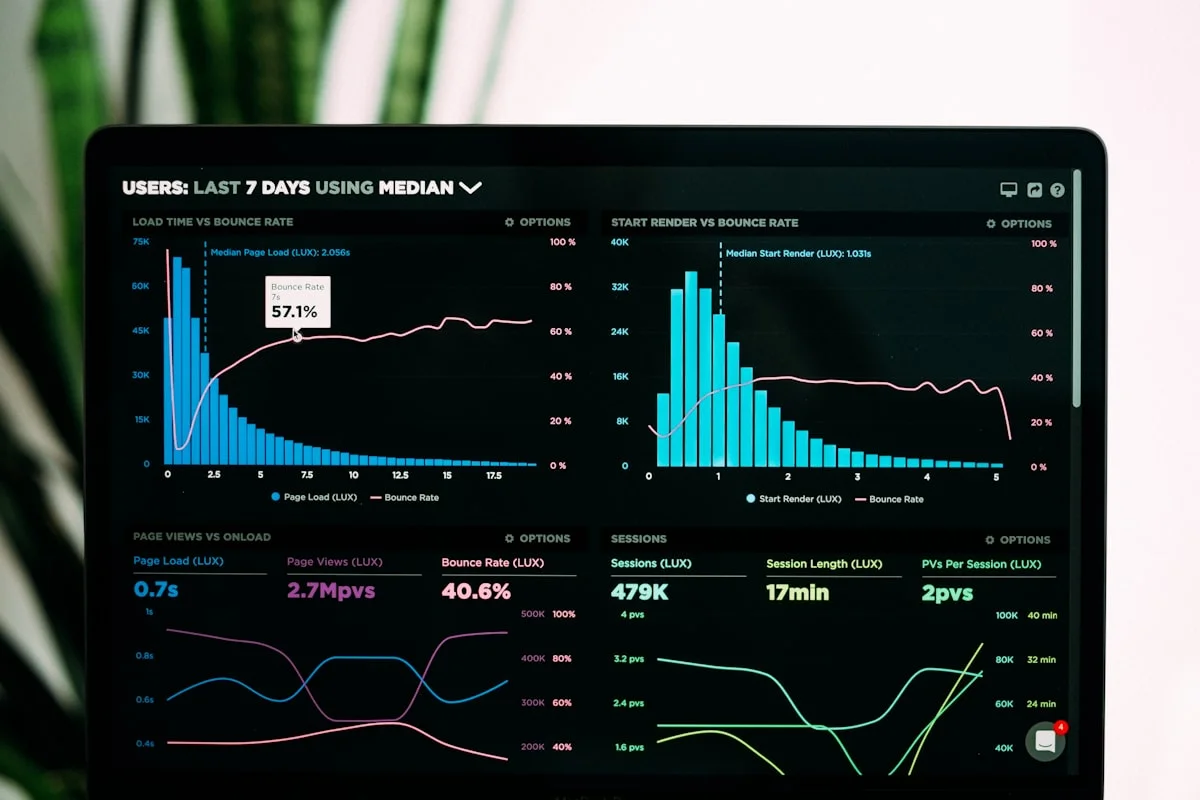
Microsoft Viva Insights is a collaboration analytics module within the Microsoft Viva employee experience platform. It analyzes metadata from Microsoft 365 services — primarily Exchange Online (email) and Microsoft Teams — to surface patterns in how employees spend their collaboration time: how many hours per week go to meetings, how quickly they respond to messages, how much after-hours email activity occurs, and how connected each person is within the organization's communication network.
Viva Insights operates at the metadata layer. It reads signals like "this employee attended a 45-minute meeting at 9:00 AM" or "this employee sent 23 emails between 6 PM and 8 PM" — but it never reads message content, meeting transcripts, or any data beyond the structural signals of Microsoft 365 activity. This design is intentional. Microsoft built Viva Insights specifically to stay within the collaboration layer and explicitly chose not to extend into endpoint monitoring.
The product ships in two tiers: a personal insights experience visible only to the individual employee (focus time scheduling, wellbeing nudges, meeting effectiveness suggestions) and a manager and leader analytics view that aggregates de-identified collaboration patterns across teams. Both tiers draw exclusively from Microsoft 365 metadata.
What Viva Insights Tracks — and What It Does Not
Understanding the exact scope of Viva Insights is the first step in deciding whether you need an additional tool alongside it. The list of what Viva Insights covers is genuinely useful. The list of what it does not cover is equally important — and often surprises M365 administrators who assumed Microsoft was providing comprehensive workforce visibility.
What Microsoft Viva Insights Does Track
- Meeting time: Total hours per week spent in calendar meetings, including back-to-back meeting rates and long meeting frequency (defined by Microsoft as meetings over one hour).
- Email analytics: Volume of emails sent and received, after-hours email activity, and average response times to colleagues.
- Focus time: Uninterrupted two-hour blocks with no meetings or Teams activity, which Viva Insights can automatically schedule and protect in users' calendars via MyAnalytics (now part of Viva Insights).
- Network and collaboration connections: Which colleagues each employee interacts with most frequently, collaboration diversity scores, and organizational network analysis at the aggregate level.
- Wellbeing signals: After-hours work trends, weekend email activity, and overwork risk indicators derived from M365 activity timestamps.
- Manager one-on-one rates: Frequency of calendar-based one-on-one meetings between managers and their direct reports.
- Teams-specific signals: Teams call time, channel participation, and chat activity volume (metadata only — not content).
What Microsoft Viva Insights Does Not Track
- Application usage: Viva Insights has no visibility into which applications are open on an employee's device at any point. A developer who is in a focused coding session and a developer who is streaming video both appear identical to Viva Insights if they have no scheduled meetings.
- Website visits: Browsing activity — including time spent on social media, news sites, or non-M365 web applications — is entirely outside Viva Insights' scope.
- Idle and active time: Viva Insights cannot detect whether an employee's device is actively being used or sitting idle. A two-hour focus block appears as protected time whether the employee is coding, reading, or away from their desk entirely.
- Screen activity: No screenshots, screen recordings, or visual verification of work output are available through Viva Insights.
- File operations: File creation, editing, deletion, and access — outside of SharePoint metadata — are not tracked by Viva Insights.
- Non-M365 application time: Time spent in tools like Slack, Figma, VS Code, Salesforce, or any application outside the Microsoft 365 ecosystem is invisible to Viva Insights.
- Keystroke and mouse activity: Device-level engagement signals are outside Viva Insights' design scope entirely.
Microsoft documents these boundaries publicly in the Viva Insights privacy guide (see Sources section below). The gaps are not limitations in the traditional sense — they are architectural decisions reflecting Microsoft's deliberate choice to build a collaboration analytics tool rather than an endpoint monitoring platform.
Microsoft Viva Insights vs eMonitor: Feature Comparison 2026
Side-by-side coverage across the visibility dimensions that matter most for M365 enterprises managing remote and hybrid teams.
| Capability | Microsoft Viva Insights | eMonitor |
|---|---|---|
| Meeting time analytics | Yes — calendar-based, detailed breakdown | Partial — via app tracking of meeting software |
| Email activity analytics | Yes — volume, after-hours, response times | No — email content and metadata not tracked |
| Focus time scheduling | Yes — auto-books calendar blocks | No — not a calendar or scheduling tool |
| Wellbeing and overwork signals | Yes — after-hours, weekend work detection | Yes — idle time, overutilisation, burnout alerts |
| Organizational network analysis | Yes — collaboration network mapping | No |
| Application usage tracking | No | Yes — full app usage with time breakdown |
| Website visit tracking | No | Yes — with productive/non-productive classification |
| Idle time detection | No | Yes — configurable idle thresholds with alerts |
| Screenshot monitoring | No | Yes — periodic automated screenshots (configurable) |
| Screen recording | No | Yes — anomaly-triggered and on-demand recording |
| File operation tracking | No | Yes — creation, modification, deletion with timestamps |
| Keystroke activity intensity | No | Yes — engagement measurement without content access |
| Real-time activity dashboard | Limited — aggregate collaboration trends | Yes — per-employee live status, app, and activity view |
| Productivity scoring | Collaboration effectiveness only | Yes — app-based productive/neutral/non-productive classification |
| Timesheet generation | No | Yes — auto-generated from tracked activity |
| Data Loss Prevention (DLP) | No (separate Microsoft Purview product) | Yes — USB monitoring, file tracking, violation alerts |
| Works outside M365 ecosystem | No — M365 signals only | Yes — tracks all applications on any device |
| Pricing | Included in M365 E3/E5, or ~$6/user/mo add-on | From $3.90/user/mo (Starter) |
The Endpoint Visibility Gap That Viva Insights Leaves Open
Microsoft Viva Insights answers a specific set of questions well: Are employees overloaded with meetings? Are they sending email after hours? Do they have enough uninterrupted time to do focused work? Are managers meeting regularly with their reports? These are legitimate questions with real impact on employee wellbeing and collaboration efficiency.
But managers overseeing remote and hybrid teams face a different set of questions that Viva Insights cannot answer. Consider this scenario: a 200-person software company has deployed M365 E5, which includes Viva Insights. Their remote developers are showing healthy collaboration patterns — meeting load is reasonable, focus time blocks are being protected, and after-hours activity is low. The Viva Insights data looks good.
What the data cannot tell them: whether those developers are actually writing code during focus time, which applications they are using, how often they step away from their desks, or whether any of them are spending significant portions of their workday on non-work activities. A developer with three hours of scheduled focus time appears identical in Viva Insights whether they spend those hours in VS Code or watching YouTube.
The Four Questions Viva Insights Cannot Answer
- What are employees actually doing during work hours? Application usage data answers this directly. Viva Insights has no access to this layer.
- How much of the workday is genuinely active versus idle? Idle time detection at the device level requires endpoint monitoring. Viva Insights derives activity signals from M365 metadata only.
- Are remote employees present and working during their scheduled shifts? A clock-in system or activity-based presence detection addresses this. Viva Insights does not have this capability.
- What is happening on the device outside the Microsoft 365 ecosystem? Teams and Outlook data represent a fraction of a typical knowledge worker's digital environment. The rest — browser activity, local applications, file system operations — is invisible to Viva Insights.
These are not niche edge cases. For any organization with significant remote or hybrid headcount, these questions are central to understanding workforce productivity. The absence of endpoint visibility in Viva Insights is not a flaw — it is a deliberate boundary. The question is whether your organization needs visibility beyond that boundary, and for most teams managing remote workers, the answer is yes.
How eMonitor Fills the Endpoint Visibility Gap
eMonitor is an employee monitoring and productivity platform that installs as a lightweight desktop agent on Windows, macOS, Linux, and Chromebook devices. It operates at the endpoint level — tracking what happens on the device itself — which is precisely the layer that Viva Insights does not cover. Both tools run side by side without technical conflict.
Application and Website Visibility
eMonitor records which applications are open and active throughout the workday, with time-spent breakdowns per application and website. Each application is classified as productive, non-productive, or neutral based on role-specific rules that administrators configure. A DevOps engineer's time in GitHub, VS Code, and AWS Console counts as productive. Time in gaming sites or social media counts as non-productive. A manager reviewing dashboards can immediately see where each team member's day is actually going.
Idle Time and Active Presence Detection
eMonitor detects idle time based on keyboard and mouse inactivity, with configurable thresholds. When an employee's device shows no input activity for a defined period, the system marks that time as idle and can trigger an alert to the manager. This capability directly addresses the Viva Insights gap: a focus time block that shows no M365 activity but shows continuous keyboard and mouse activity in VS Code confirms the employee is working. A focus block with no M365 activity and extended idle time signals something different.
Screenshot Monitoring and Screen Recording
Periodic screenshot capture provides a visual record of what employees are working on at any point during the day. Screenshots are taken at configurable intervals — typically every 5 to 30 minutes — and stored securely with role-based access controls. Screen recording with anomaly detection captures extended clips when unusual activity patterns occur. Both features are optional and can be configured per team or per role. Privacy-sensitive information can be blurred automatically. For organizations that need visual proof of work — remote contractors, compliance-sensitive roles, client-billable teams — this fills a verification gap that no M365 tool addresses.
File Operation Tracking
eMonitor logs file creation, modification, deletion, and access events with full paths and timestamps. This data serves two functions: operational visibility into what employees are working on, and data protection (detecting unauthorized file transfers or deletions that might indicate insider risk). The file tracking layer is entirely absent from Viva Insights' design scope.
Real-Time Activity Dashboards
While Viva Insights surfaces weekly and monthly collaboration trends, eMonitor provides real-time status for every employee: currently active application, current website, online or idle status, and a color-coded daily activity timeline. Managers overseeing distributed teams get a live view of who is working, what they are working on, and how long they have been idle — at any point during the workday.
Real-World Use Case: M365 Enterprise With Remote Teams
A mid-sized IT services firm with 350 employees moves to a fully remote model and deploys M365 E5 across the organization. Viva Insights shows healthy collaboration metrics: average meeting load is 14 hours per week (within Microsoft's recommended range), after-hours activity is below the team average, and focus time is being scheduled and protected. The HR leadership team is pleased with the data.
Six months later, a project manager notices that several team members' deliverable output has declined significantly despite their Viva Insights profiles showing normal collaboration patterns. The PM escalates to the CTO. Without endpoint visibility, the investigation relies entirely on output quality and one-on-one conversations — a slow, subjective process that takes three weeks to reach any conclusions.
The Same Scenario With eMonitor Deployed Alongside Viva Insights
eMonitor's application tracking data surfaces the discrepancy within the first week: two team members on the underperforming project are showing 60 to 80 minutes per day of idle time during core hours, and their productive application time (IDE, project management tools, document editors) is significantly lower than the team average for the same roles. A third team member shows high application activity but predominantly in non-work applications.
The manager now has specific, objective data to bring to a support conversation with the team rather than a vague sense that "something isn't right." The resolution path is faster, fairer, and less awkward for everyone. The employees can see their own data through eMonitor's employee-facing dashboard, so the conversation starts from a shared understanding of the facts rather than a manager's subjective impression.
This scenario represents the core value of pairing Viva Insights with eMonitor: Viva Insights confirms that collaboration patterns are healthy at the structural level, while eMonitor provides the endpoint data needed to understand actual work activity when output signals suggest a problem.
Pricing Comparison: Viva Insights vs eMonitor
Pricing decisions for M365 enterprises typically center on whether eMonitor adds enough value on top of existing M365 licensing to justify an additional per-user cost. The short answer for teams managing remote or hybrid employees: yes, for most team sizes the incremental cost is minimal relative to the visibility gained.
| Plan | Microsoft Viva Insights | eMonitor |
|---|---|---|
| Included in platform license | Yes — M365 E3 and E5 (personal insights), M365 E5 or add-on for advanced analytics | No — standalone subscription |
| Standalone add-on price | ~$6.00/user/month (Advanced Analytics) | Starter: $3.90/user/mo |
| Mid-tier option | Included in E3/E5 (personal tier only) | Professional: $6.90/user/mo (full feature set) |
| Enterprise tier | Custom (Viva Suite licensing) | Enterprise: $13.90/user/mo |
| Free trial | Available via M365 trial | 7-day free trial, no credit card |
| What you get | Collaboration analytics from M365 signals | Endpoint monitoring, app/web tracking, screenshots, idle detection, DLP |
For a 100-person remote team where all employees are already on M365 E5, adding eMonitor Professional adds $6.90 per user per month — roughly $690 per month for the full team. The breakeven point is typically reached within the first month: a single productivity problem identified and resolved through endpoint data, or a single hour of payroll saved per employee per week through accurate timesheet data, typically exceeds the cost of the software.
Running eMonitor Alongside Microsoft 365
eMonitor operates independently of Microsoft 365. It does not require any M365 permissions, API connections, or changes to your Azure AD tenant configuration. This independence is an architectural advantage: eMonitor's data does not pass through Microsoft's infrastructure, there are no licensing dependencies, and adding or removing eMonitor has no impact on your M365 configuration.

Deployment in M365 Environments
The eMonitor desktop agent installs on Windows, macOS, Linux, and Chromebook. For enterprise rollouts across M365-managed devices, IT administrators can distribute the agent via Microsoft Intune, Group Policy, or any third-party MDM solution. Most organizations complete full deployment for a 500-user team within a single working day. There is no need to configure Azure AD integration or modify M365 admin settings.
Identity and User Management
eMonitor manages users independently of Azure AD. IT administrators provision employees in the eMonitor portal, which can be done manually or via bulk import (CSV upload). For organizations that prefer to link eMonitor user records to their Azure AD directory, eMonitor supports SSO authentication through standards-compliant identity providers, including Azure AD-backed SSO. This allows employees to sign in to the eMonitor portal using their M365 credentials without requiring separate passwords.
Teams Notifications
eMonitor can deliver manager alerts and daily activity summaries to Microsoft Teams channels through webhook integration. When a monitored employee exceeds a configured idle threshold or a productivity score drops below a set level, the alert can be routed directly to the relevant Teams channel alongside the manager's regular operational notifications. This keeps monitoring alerts in the same communication environment M365 teams already use, reducing tool-switching for managers.
Data Separation and Privacy
Because eMonitor does not read M365 signals, user data in eMonitor is separate from the data Microsoft processes through Viva Insights. This separation is relevant for organizations operating under GDPR or other data protection frameworks: the two data streams are processed independently, each with their own lawful basis and retention policies. eMonitor's monitoring data is stored in eMonitor's infrastructure (not Microsoft's), and administrators control retention periods, access levels, and deletion policies independently. For organizations using Workday alongside their M365 stack, see our coverage of Workday integration for workforce data.
Who Needs Both Viva Insights and eMonitor
The combination of Viva Insights and eMonitor addresses two genuinely different visibility requirements. Viva Insights helps organizations understand and improve collaboration health. eMonitor helps organizations understand and improve individual work activity and output. Most M365 enterprises with remote or hybrid teams have both requirements.
Organizations That Benefit Most From Running Both Tools
- Remote-first companies with distributed teams: Viva Insights confirms collaboration patterns are healthy. eMonitor confirms employees are actively working during scheduled hours. Together, they give managers the full picture without requiring physical presence.
- BPOs and customer support operations: Agent productivity depends on both collaboration (Viva Insights: are agents attending team meetings, receiving manager feedback?) and active work time (eMonitor: are agents in their support tools during their shifts, or frequently idle?).
- IT services and software development firms: Engineering managers benefit from Viva Insights' meeting load and focus time data (are developers getting enough uninterrupted time?) alongside eMonitor's application tracking (are they using that uninterrupted time in development tools?).
- Organizations with compliance requirements: Industries requiring detailed audit trails of employee activity — financial services, healthcare, legal — benefit from eMonitor's endpoint-level records to supplement the collaboration-layer records Viva Insights produces.
- Teams billing by the hour: Agencies and consultancies need accurate time records at the project and task level. eMonitor provides this through automated timesheets. Viva Insights does not generate billable time records.
When Viva Insights Alone Is Sufficient
Organizations where all work happens within Microsoft 365 tools, all employees are in-office, and the primary concern is meeting overload or after-hours work patterns may find Viva Insights meets their needs without additional endpoint monitoring. Viva Insights is also the right tool if the primary goal is improving collaboration culture and employee wellbeing signals derived from M365 metadata.
When eMonitor Alone Is the Right Choice
Organizations without Microsoft 365 licenses, or those using Google Workspace, Slack, or other non-Microsoft collaboration stacks, have no access to Viva Insights. For these teams, eMonitor provides comprehensive endpoint monitoring coverage across all applications without any dependency on Microsoft infrastructure. eMonitor also serves as a complete workforce visibility platform for organizations that need more than Viva Insights covers, regardless of their Microsoft licensing tier. For a ranked comparison of all leading options in this space, see our guide to the best employee monitoring tools.
Privacy, Compliance, and Ethical Monitoring Practices
Adding endpoint monitoring to an existing Viva Insights deployment raises legitimate privacy questions that deserve direct answers. Both tools process different categories of employee data, and organizations should understand the compliance implications of each before deployment.
Microsoft Viva Insights Privacy Design
Microsoft processes Viva Insights data under established GDPR lawful bases. Personal insights are visible only to the individual employee — managers cannot see individual-level data without the employee's consent. Manager and leader analytics display aggregated, de-identified data only. Microsoft's Viva Insights privacy documentation (linked in the Sources section below) details the specific technical and organizational measures that protect individual data within the platform. The product was designed with privacy as a foundational constraint, which is why its data scope is as narrow as it is.
eMonitor Privacy Principles
eMonitor operates on a work-hours-only monitoring model: tracking begins when employees clock in and stops when they clock out. No off-hours data is captured. Employees have access to their own monitoring data through a personal dashboard — the same data their managers see. This transparency is a deliberate design choice. Employees who can see their own activity data engage with it differently than employees who have no visibility. In practice, teams using eMonitor's transparent monitoring model report lower resistance and faster adoption than teams using tools that restrict employee visibility into their own records.
Deploying Both Tools Under GDPR
European organizations adding eMonitor to an existing M365 deployment should treat the two tools as separate processing activities under GDPR. Viva Insights processing is governed by Microsoft's data processing agreement and your existing M365 compliance configuration. eMonitor processing requires its own lawful basis assessment (typically legitimate interest under Article 6(1)(f) for workforce management purposes), a Data Protection Impact Assessment (DPIA) given the systematic monitoring of employee activity, and appropriate employee notification under Articles 13 and 14. eMonitor's configurable monitoring levels allow organizations to calibrate the scope of monitoring to the minimum necessary for the stated purpose, which is a key requirement for proportionality under GDPR.
eMonitor's Full Capability Set for M365 Enterprises
Beyond filling the endpoint visibility gap left by Viva Insights, eMonitor provides a comprehensive workforce monitoring platform that addresses multiple operational needs. The following capabilities are available within eMonitor and are absent from Viva Insights by design.
Productivity Classification Engine
eMonitor classifies each application and website as productive, non-productive, or neutral based on role-specific rules configured by administrators. A developer's time in GitHub is productive. A customer service agent's time in the CRM is productive. Time on social media or streaming services during work hours is non-productive. Each role definition can be customized, and classification rules can be applied at the individual, team, or organization level. The result is a productivity score per employee per day that reflects actual work activity, not calendar-based time estimates.
Attrition Risk Detection
eMonitor's attrition prediction module analyzes behavioral and activity signals to identify employees at risk of disengagement or departure. Signals include sustained drops in productivity scores, increased idle time, reduced application diversity (using fewer tools as engagement falls), and work-life balance indicators like extended overtime patterns. These signals complement Viva Insights' collaboration data: an employee whose meeting participation and email response times look normal in Viva Insights may still show attrition risk signals at the endpoint level that eMonitor surfaces weeks before a resignation occurs.
Data Loss Prevention
eMonitor's DLP module monitors file operations, USB device connections, and unauthorized web access. When an employee connects an unauthorized USB device, accesses a restricted domain, or deletes a significant number of files in a short period, eMonitor generates an alert and logs the event with full details. This capability is entirely outside Viva Insights' scope and complements Microsoft Purview (formerly Microsoft Information Protection) for organizations that need endpoint-level DLP alongside M365's content-level protection.
Automated Timesheets and Project Tracking
eMonitor generates timesheets automatically from activity data, with support for project and task-level time allocation. For billable teams, this means every minute of client work is captured and attributed correctly — regardless of whether it happens in a Microsoft 365 application. A consultant using a client-specific project management tool, a developer in a local IDE, or a designer in Adobe Creative Cloud all have their time tracked accurately. Viva Insights produces no timesheet data and has no project allocation capability.
The Verdict: Complement, Not Replace
Microsoft Viva Insights is a well-designed collaboration analytics tool that does what it was built to do: surface meaningful patterns in how employees use Microsoft 365 for communication and collaboration. Meeting overload detection, after-hours work identification, focus time protection, and organizational network analysis are genuine capabilities with real value for understanding and improving collaboration culture.
eMonitor does something different and complementary: it provides endpoint visibility into actual device activity during work hours. Application usage, website visits, idle time, screen activity, file operations, and real-time productivity status are all outside Viva Insights' design scope. For any organization with significant remote or hybrid headcount — where physical presence cannot serve as a natural productivity signal — endpoint visibility fills a critical gap that collaboration analytics alone cannot address.
The practical recommendation for M365 enterprises managing remote teams: run both. Viva Insights handles the collaboration layer. eMonitor handles the endpoint layer. The two tools do not overlap, do not conflict technically, and together provide a complete picture of how employees actually spend their workdays. At $3.90 per user per month starting price, eMonitor adds endpoint coverage at a fraction of the cost of most enterprise monitoring platforms.
Frequently Asked Questions
What does Microsoft Viva Insights actually track?
Microsoft Viva Insights tracks collaboration metadata derived from Microsoft 365 signals: meeting time, email volume, after-hours work patterns, focus time blocks, internal network connections, and response times. It does not access email content, meeting content, or any endpoint activity such as application usage, website visits, or screen activity. Microsoft documents this scope explicitly in the Viva Insights privacy guide.
What does Microsoft Viva Insights not track?
Viva Insights does not track application usage, website visits, idle time, screenshots, screen recordings, file operations, keystroke activity, or any endpoint-level data. These are intentional design limitations by Microsoft. The tool was built to analyze collaboration patterns from M365 metadata only, with an explicit boundary separating it from endpoint monitoring platforms.
Is eMonitor a replacement for Microsoft Viva Insights?
eMonitor is not a replacement for Viva Insights — it is a complement. Viva Insights answers how employees collaborate via Microsoft 365 signals. eMonitor answers what employees actually do on their devices during work hours. Both tools address different visibility layers and run side by side without conflict. Organizations using M365 E3 or E5 benefit from deploying both.
Can I see if remote employees are actually working during Viva Insights focus time blocks?
Viva Insights schedules and protects focus time blocks based on calendar availability, but it cannot confirm what employees do during those blocks. eMonitor fills this gap: by tracking active application usage and idle time at the device level, managers can see whether focus blocks correspond to active work in productive tools or extended idle periods — a distinction that Viva Insights has no mechanism to surface.
Can eMonitor work alongside Microsoft 365 without any M365 configuration changes?
Yes. eMonitor installs as a desktop agent at the operating system level and operates independently of Microsoft 365 services. No Azure AD permissions, M365 admin configuration, or API connections are required. The agent runs on Windows, macOS, Linux, and Chromebook devices regardless of what collaboration software is installed.
How much does Microsoft Viva Insights cost compared to eMonitor?
Microsoft Viva Insights is included in M365 E3 and E5 plans (personal insights tier) or available as an advanced analytics add-on at approximately $6 per user per month. eMonitor starts at $3.90 per user per month (Starter), with the Professional plan at $6.90 per user per month covering the full endpoint monitoring feature set including app tracking, screenshots, idle time detection, and DLP.
Does using eMonitor violate Microsoft's data policies?
No. eMonitor operates independently at the device level and does not interact with Microsoft 365 APIs, services, or data. It does not modify any M365 configuration or process any M365 data. Microsoft's terms of service apply to Microsoft's own products and services. eMonitor's deployment alongside M365 is a standard IT configuration that does not implicate Microsoft licensing terms.
What is the difference between collaboration analytics and endpoint monitoring?
Collaboration analytics (Viva Insights) analyzes patterns in how employees use communication tools: meeting frequency, email response times, network connections, and collaboration overload signals derived from M365 metadata. Endpoint monitoring (eMonitor) tracks what happens on the device itself: which applications are open, which websites are visited, how long the user is active or idle, and what files are accessed. The two categories measure different things and complement each other.
How long does eMonitor take to deploy for an M365 enterprise?
eMonitor deploys in approximately two minutes per device. For enterprise rollouts, the desktop agent is distributed via Microsoft Intune, Group Policy, or any standard MDM solution — the same infrastructure M365 enterprises already use for software deployment. Most organizations complete full deployment for teams under 500 users within a single working day.
Is eMonitor GDPR-compliant for European M365 deployments?
eMonitor supports GDPR compliance through work-hours-only monitoring, employee-facing transparency dashboards, configurable data retention, and role-based access controls. European deployments require a Data Protection Impact Assessment (DPIA) under Article 35 GDPR before deployment — as is standard practice for any systematic employee monitoring tool. eMonitor's configurable scope allows organizations to set monitoring parameters proportional to the purpose, a key GDPR proportionality requirement.
Does eMonitor require Microsoft 365 to work?
No. eMonitor works independently of Microsoft 365. Organizations using Google Workspace, Slack, Zoom, or any non-Microsoft collaboration stack use eMonitor as their primary workforce visibility platform. The tool tracks all applications at the OS level — Microsoft or otherwise — and requires no Microsoft licensing to function.
Can eMonitor track Microsoft Teams usage alongside Viva Insights data?
Yes. eMonitor tracks Microsoft Teams as an application like any other — recording time spent in Teams, active versus idle status during Teams calls, and the proportion of the workday Teams represents in each employee's application mix. This endpoint-level Teams data complements Viva Insights' collaboration-layer Teams metadata, giving managers both structural and behavioral context for how Teams is being used.
Sources and Further Reading
- Microsoft. "Privacy guide for Viva Insights." Microsoft Learn. https://learn.microsoft.com/en-us/viva/insights/advanced/privacy/privacy
- Microsoft. "Viva Insights introduction." Microsoft Learn. https://learn.microsoft.com/en-us/viva/insights/introduction
- Microsoft. "Viva Insights data-protection summary." Microsoft Learn. https://learn.microsoft.com/en-us/viva/insights/advanced/privacy/data-protection-summary
- Microsoft. "Microsoft Viva licensing and pricing." Microsoft.com. https://www.microsoft.com/en-us/microsoft-viva/pricing
- European Data Protection Board. "Guidelines 05/2022 on the use of personal data in the employment context." EDPB. Adopted 2023. Relevant to DPIA requirements for employee monitoring.
- Information Commissioner's Office (UK). "Monitoring workers: Data protection guidance." ICO. 2023. https://ico.org.uk/for-organisations/uk-gdpr-guidance-and-resources/employment/monitoring-workers/
Related Comparisons
Best Employee Monitoring Software 2026
Full comparison of the top-rated employee monitoring platforms across price, features, and use case fit.
See comparison →eMonitor vs Monitask
How eMonitor compares to Monitask on monitoring depth, pricing, and enterprise readiness.
See comparison →Free Employee Monitoring Software
Which free monitoring tools are worth considering and where paid options provide essential capabilities.
See comparison →